
For blafili B3 only. Follow this guide to set a custom 4-digit Bluetooth pairing code.
Quick answer: You can set a custom pairing passcode on blafili B3 — note the 4-digit code you want when ordering and we pre-configure it before shipping, or follow the tutorial below to change it yourself. The passcode is what your phone asks for when pairing, so only people who know it can connect.
How to set a Bluetooth Pairing Code on blafili B3?
Step-by-Step Instructions
Tips: 1. It can only be run on Windows PC( >= Windows 10 ); 2. The process needs to keep the power supply stable, otherwise it will result in a crash.
Step 1 :
Download ADK.zip
(You can click on the icon for zip download.)
ADK_QCC512x_WIN_6_4_Installer_6_4_2_26
Step 2 :
Unzip ADK_QCC512x_WIN_6_4_Installer_6_4_2_26.zip
Then
Running ADK_QCC512X_QCC302X_WIN_6.4.2.26.exe
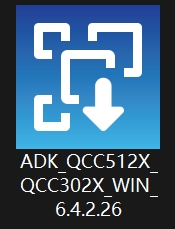
Step 3 :
Select all
and click Next.
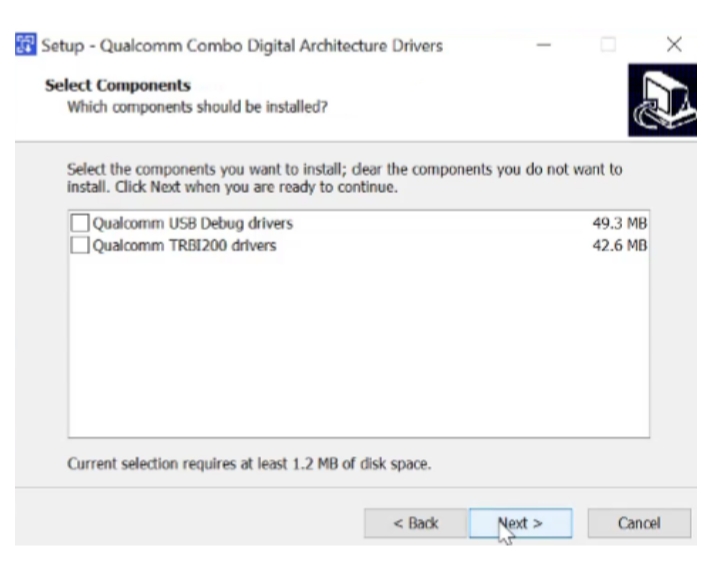
Step 4 :
Unzip qcc_usbdbg_v1.1.zip
then running QCC_USBDBG.exe
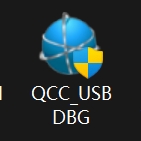
Step 5:
Then connect the blafili B3 to your Windows PC with the included USB cable.

Step 6 :
Find this app in Start.
And click Run.
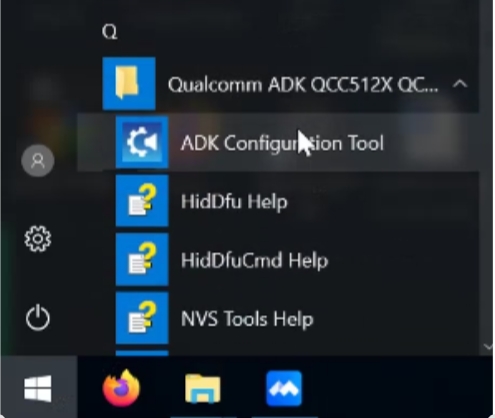
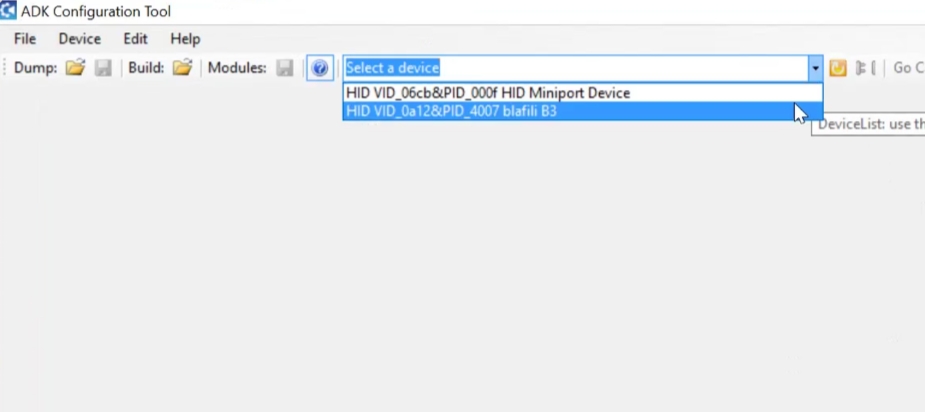
Step 7 :
Choose blafili b3
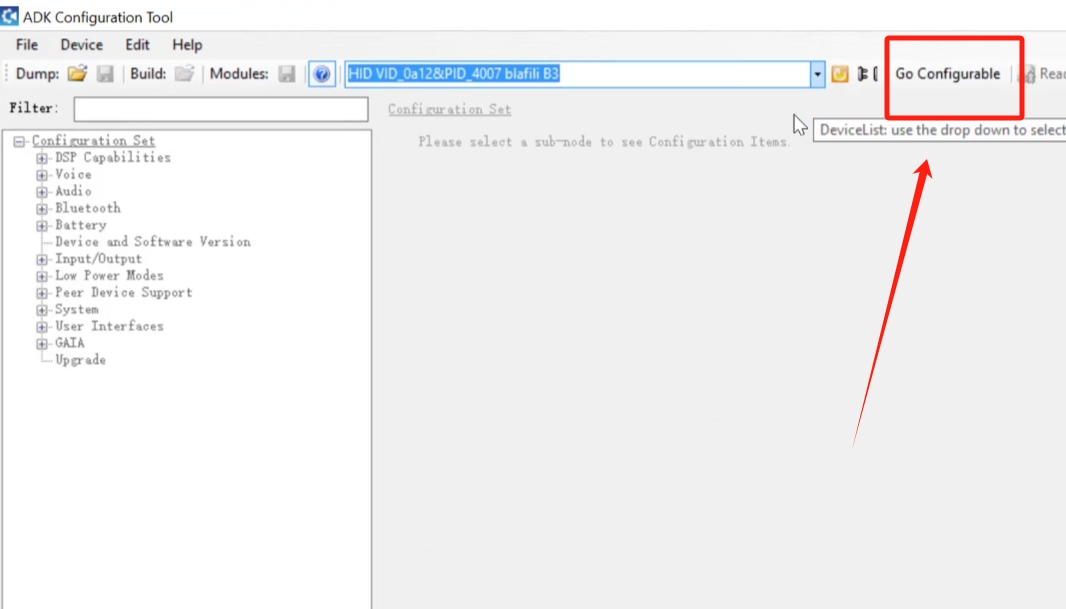
Step 8 :
Click
Go Configurable & Read Device.
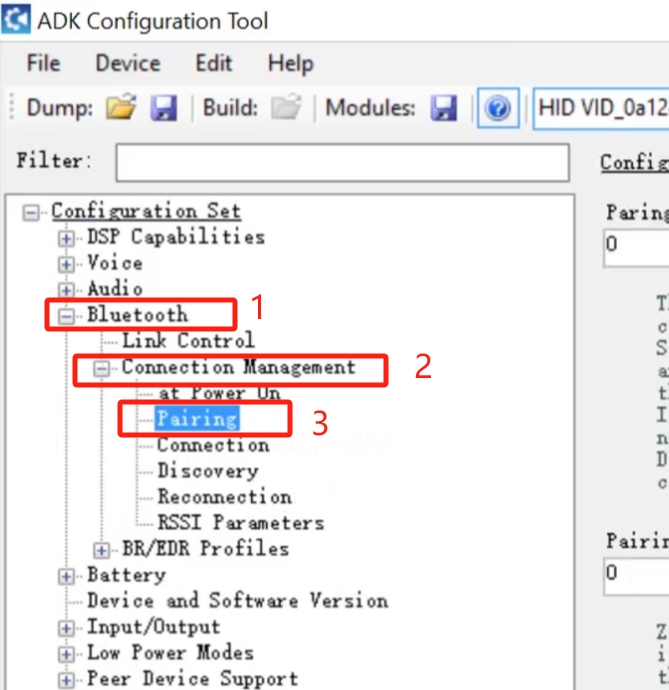
Step 9 :
Click Bluetooth > Connection Management > Pairing
Step 10 :
Check Box
Pin Code Mode Enable.
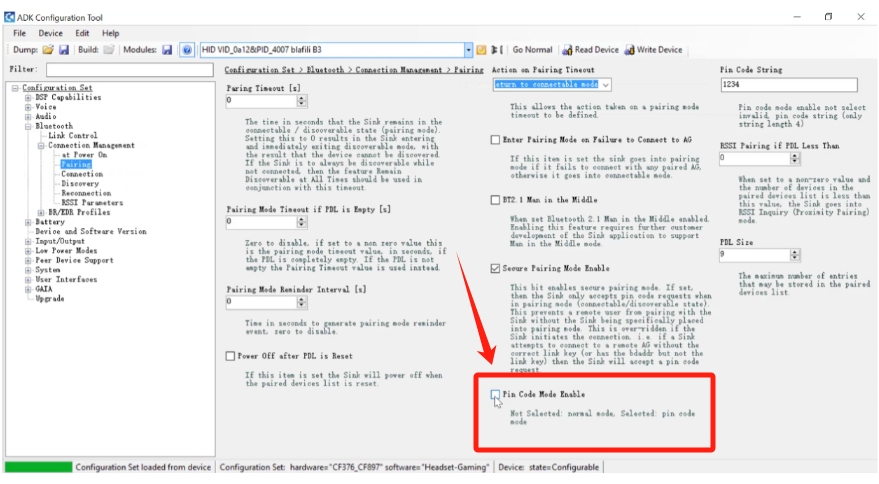
Step 11 :
Type In Your 4 digits code.
Then
Click Write Device.
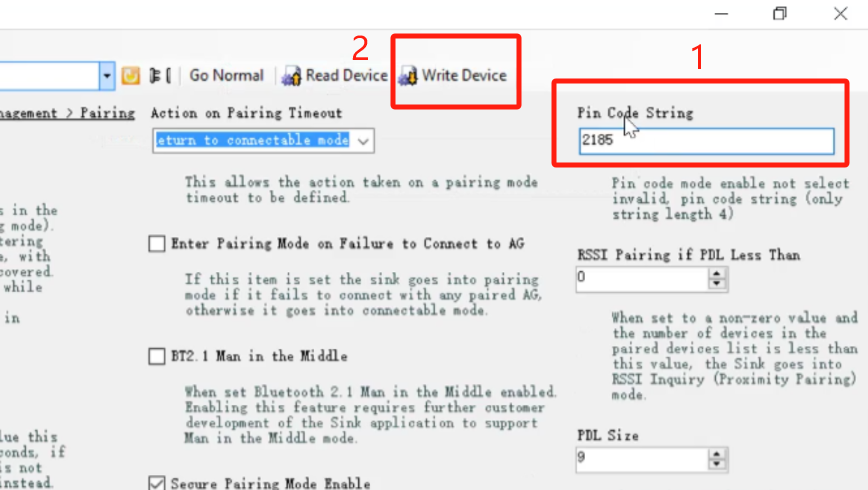
Now, your Bluetooth Passcode setup is over.