

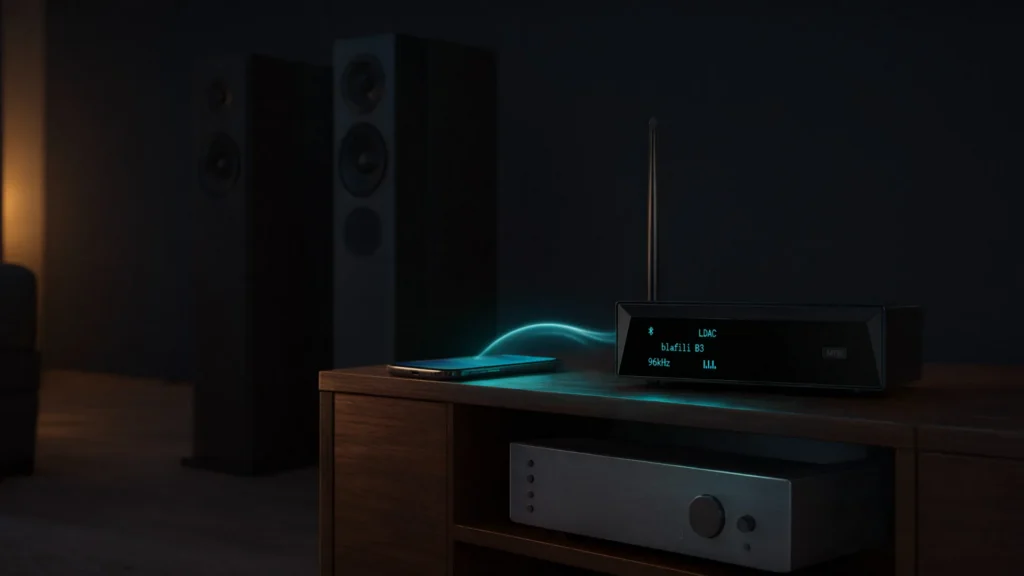
A Bluetooth audio receiver adds wireless streaming to any system with a free audio input: your phone pairs with it, and it hands the music to your amplifier, powered speakers, or hi-fi through a short cable. The receiver is the half of the link that listens, decoding the stream your phone sends and rebuilding it as audio at its output jacks. Nothing inside your existing system changes; the box occupies one input, the way a CD player or tape deck once did.
What Is a Bluetooth Audio Receiver?
A Bluetooth audio receiver is a small converter that sits between your phone and your sound system. The phone sends audio over a 2.4 GHz radio link; the receiver decodes the stream, converts it through an internal DAC, and feeds a line-level signal to whatever input you give it.
That is why a receiver is the standard answer for gear that predates Bluetooth: home theater receivers, integrated amplifiers, vintage stereos, powered speakers, car amplifiers, and PA or studio equipment. The direction matters: music arriving at a device wants a receiver; music leaving one, like a TV feeding wireless headphones, wants a transmitter.
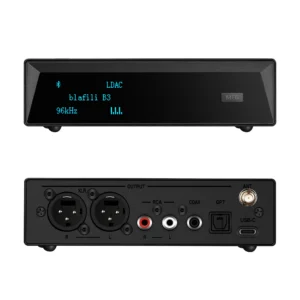
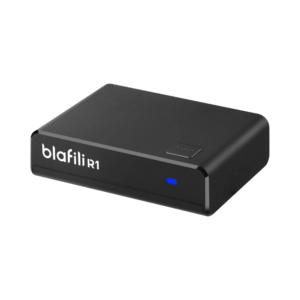
The category is wider than the price tags suggest. A compact unit such as the blafili R1 at $21.99 adds streaming to one stereo; a flagship such as the blafili B3 at $109 adds a named DAC chip, balanced and digital outputs, and every codec from SBC to LDAC. The steps between those ends are short: $21.99 buys the R1 for a basic RCA hookup, $40.99 adds a balanced XLR output with the blafili XLR, and $109 reaches the B3 with its four outputs live at once. The buying question is not which box is fanciest, but which of the three (jacks, codecs, converter) your system needs.
How a Bluetooth Receiver Works: the Signal Path
The route from phone to speaker has five stages:
| Stage | What happens |
|---|---|
| 1. Your phone | The app hands over digital audio: numbers, not sound. |
| 2. Codec | SBC, aptX, or LDAC packs the stream. |
| 3. Bluetooth link | A 2.4 GHz link carries it across the room. |
| 4. Receiver | Decoder and DAC rebuild the signal; the output stage drives the cable. |
| 5. Amp and speakers | Your system amplifies and plays it. |
The two middle stages decide quality. The codec determines how much detail survives the radio trip: the mandatory SBC baseline works everywhere, while aptX and LDAC preserve more when both ends support them. The DAC and output stage inside the Bluetooth audio receiver decide how cleanly the decoded numbers become the signal at the jack, which is where hiss and thin bass are won or lost.
Receiver vs Transmitter vs Amplifier vs Music Streamer
Four boxes get confused with one another because they all sit near your stereo, but they do four different jobs:
| Role | Which way audio flows | What pairs with it | Typical job |
|---|---|---|---|
| Bluetooth audio receiver | In: phone to system | Your phone or tablet | Add streaming to a stereo or amp |
| Bluetooth transmitter | Out: system to headphones | Bluetooth headphones or speakers | Send a TV, mixer, or CD player to wireless listening |
| Amplifier | Through: raises signal power to drive speakers | Nothing; it strengthens whatever is wired in | Drive passive speakers; some amps add Bluetooth |
| Music streamer | In: internet or home network to system | Your Wi-Fi network and streaming accounts | Pull music from services, no phone needed |
The naming gets messier than the wiring. A Bluetooth streamer, a music streamer with Bluetooth, an audio streamer, a Bluetooth sound adapter, a Bluetooth wireless adapter, or an audio Bluetooth adapter: every one describes a Bluetooth audio receiver, a box your phone pairs with that feeds a line-level output. The table maps each name to what you are getting:
| Name people search | What it actually is |
|---|---|
| Bluetooth music receiver | A Bluetooth audio receiver, aimed at listeners |
| Bluetooth streamer | A Bluetooth audio receiver in hi-fi wording |
| Music streamer with Bluetooth | A Bluetooth audio receiver; the phone does the streaming |
| Audio streamer | A Bluetooth audio receiver, unless it pulls from services over Wi-Fi |
| Bluetooth sound adapter | A Bluetooth audio receiver sold as an accessory |
| Bluetooth wireless adapter | A Bluetooth audio receiver; “adapter” names the job |
| Audio Bluetooth adapter | The same Bluetooth audio receiver, words reordered |
| Adaptador Bluetooth | Spanish for “Bluetooth adapter”; the same receiver, another language |
Adaptador Bluetooth is simply the Spanish word for Bluetooth adapter, and it is a name with real search volume: buyers in Spanish and French speaking markets look for this same device under that word. Whichever language the search bar speaks, the device is the Bluetooth audio receiver described here.
One streamer row deserves its own note. A true Wi-Fi music streamer pulls tracks from streaming services over your home network, with no phone in the chain; a Bluetooth receiver always takes its audio from a paired device nearby. Wi-Fi suits whole-home systems built around accounts, Bluetooth suits the system you feed from the phone in your pocket, and both end at the same line-level jack.
The amplifier row has a practical edge: passive speakers need an amp in the chain, so a receiver alone cannot drive them. Powered (active) speakers take a Bluetooth audio receiver directly.
Types by Output: the Jack That Decides the Purchase
The most useful way to classify a Bluetooth audio receiver is by the output it feeds your system: match it to a free input and the rest is detail.
RCA: the home hi-fi standard
The red-and-white RCA pair is the common input on home receivers, integrated amplifiers, and powered speakers. An RCA Bluetooth adapter is the default choice here, and a passive 3.5 mm-to-RCA cable adapts gear whose only spare input is a small aux jack. The hookup takes minutes:
- Find a free line-level input: AUX, CD, Tape, or Line (not phono).
- Power the receiver from USB or the supplied adapter.
- Connect the plugs red to red, white to white.
- Select that input on the stereo.
- Pair your phone.
- Start music at moderate phone volume, then set the stereo level.
XLR: balanced and pro-ready
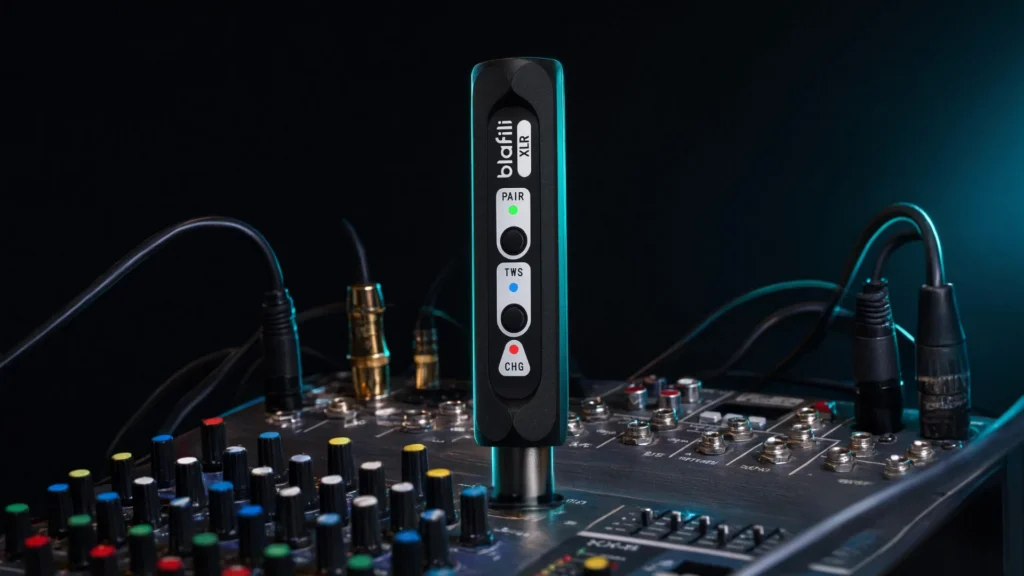
XLR is the balanced, lockable connector on mixers, PA racks, and studio monitors. A Bluetooth receiver with XLR output such as the blafili XLR at $40.99, rated 4.87 across 67 reviews, feeds those line inputs directly and rejects the hum long unbalanced runs pick up. It neither needs nor passes phantom power; it is a playback source.
1/4″ TRS: the amp and mixer plug
The 1/4″ (6.35 mm) plug speaks the instrument-amp and mixer dialect. Where a 3.5 mm stick would need a fragile adapter chain, a dedicated 1/4″ unit such as the blafili 6dot35 at $44.99 plugs straight into the jack, with aptX HD and aptX Low Latency on board and a rated range up to 32.8 ft (10 m).
Optical and coaxial: digital end to end
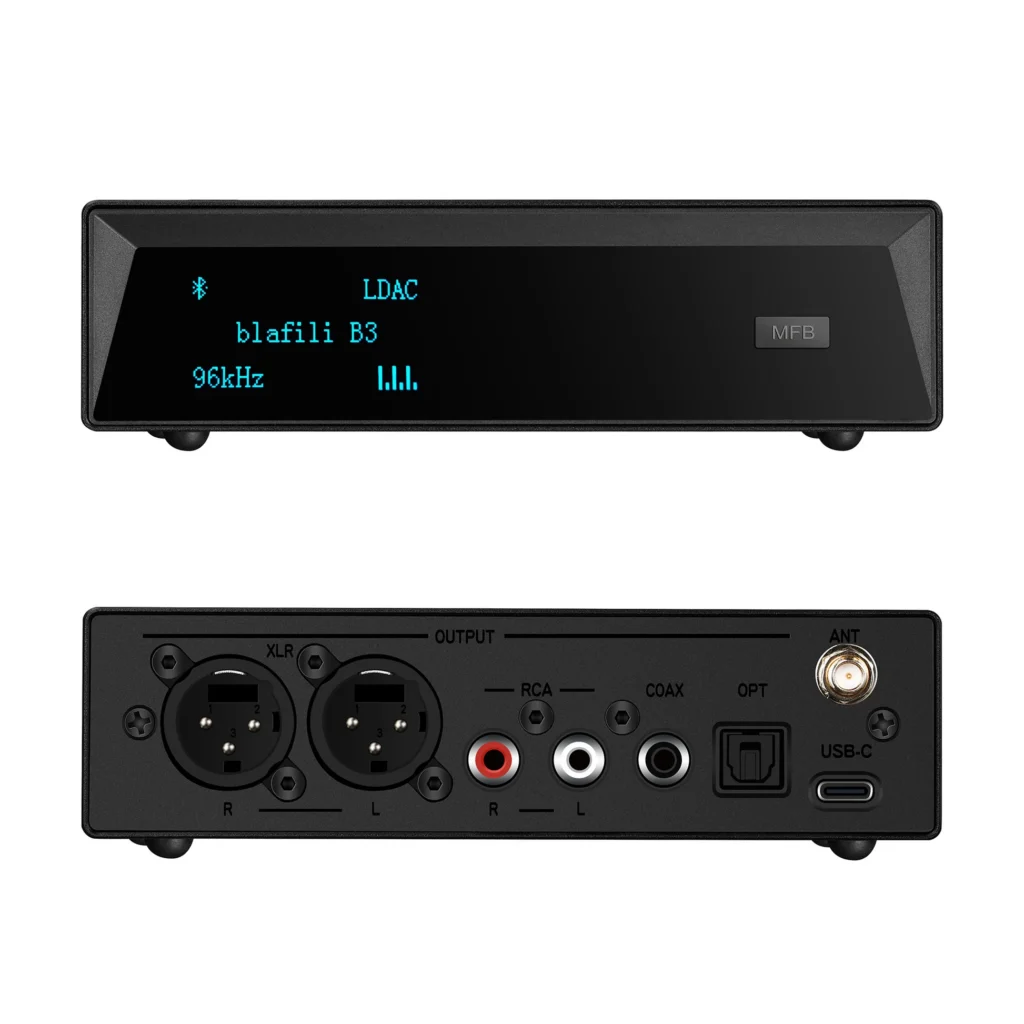
If your AV receiver, soundbar, or DAC has an optical (Toslink) or coaxial input, a digital-output receiver keeps the signal digital until your system’s own converter. The blafili B3 at $109, rated 4.89 across 186 reviews, carries both jacks alongside XLR and RCA. Fiber also picks up none of the electrical hum copper can.
USB and 12 V: power where you need it
USB shows up in two roles: clean 5 V power (most home receivers run over USB-C), and on some models a USB audio input from a computer. In cars, boats, and trucks, hardwired 12 V units such as the blafili CAR at $44.99, rated 4.71 across 89 reviews, take power from the switched ACC line, so they sleep with the ignition.
Types by Size and Power: Compact, USB-Powered, and Digital
Output decides whether a receiver fits your system; size and power decide where it can live. This is the second axis of the category.
How small do receivers get?
Compact stick receivers hide behind the stereo and trade antenna size for tidiness, while box-style units make room for better DACs, more jacks, and removable antennas. Neither shape sounds better by default: the chassis buys outputs and a cleaner power supply, not better Bluetooth.
What does USB power mean for placement?
A USB-powered Bluetooth audio receiver runs from any 5 V source: a TV’s USB port, a powered speaker, a wall adapter, or an outdoor power bank. That is why the R1, with RCA out and USB-C power, ends up everywhere from bookshelves to garage stereos. The trade-off: a noisy USB port can inject hiss, so if one port hums, try another supply.
What is a USB sound receiver or a digital receiver?
Two more names from the same bin. A USB sound receiver doubles as a USB sound card: plugged into a computer, it shows up as an audio output device, and the B3 does exactly this in USB DAC mode at 16-bit/48 kHz. A digital receiver is simply one with optical or coaxial output; “digital” describes the jack, not a special radio. Both are Bluetooth audio receivers underneath.
Which Bluetooth version do you need?
Versions matter less than marketing suggests. Music rides the same classic Bluetooth radio from 4.2 onward, at roughly the same real-room range; the gains since 5.0 live in throughput, efficiency, and the newer LE Audio ecosystem. For sound, the codec list moves the needle, not the version digit.
| Version | Real-room range for music | Throughput class | What changed |
|---|---|---|---|
| 4.2 | about 10 m / 33 ft | about 1 Mbps | Classic-audio baseline in older gear |
| 5.0 | about 10 m / 33 ft | up to 2 Mbps | Faster transfer and range options (LE side) |
| 5.1 | about 10 m / 33 ft | up to 2 Mbps | Direction finding; connection polish |
| 5.2 | about 10 m / 33 ft | up to 2 Mbps | LE Audio arrives; better Wi-Fi coexistence |
| 5.3 | about 10 m / 33 ft | up to 2 Mbps | Efficiency and stability tuning |
The blafili XLR, B3, and 6dot35 use Bluetooth 5.1 and the CAR uses 5.2; all hold a steady link at living-room distances.
Key Specs That Separate Clean Receivers from Noisy Ones
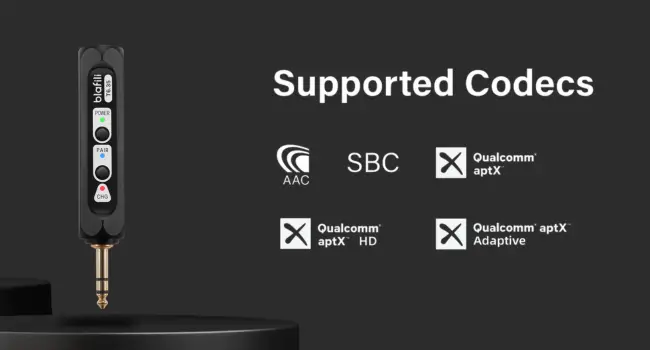
Codecs. Every Bluetooth audio device runs SBC underneath; aptX, aptX HD, and LDAC preserve more detail when both ends support them, and the link settles on the best codec the two devices share, so a codec list is only half the deal. Latency matters as much as bitrate: music has no picture to sync with, but video shows every millisecond of delay.
| Codec | Top bitrate | Rough latency | Where it fits |
|---|---|---|---|
| SBC | 328 kbps | roughly 200 to 300 ms | The universal baseline |
| AAC | 256 kbps | roughly 150 to 250 ms | The default path from iPhones |
| aptX | 352 kbps | roughly 150 to 200 ms | Common on Android gear |
| aptX Low Latency | 352 kbps | about 40 ms | Video and gaming |
| aptX HD | 576 kbps | roughly 200 ms or more | Detail-focused listening |
| LDAC | up to 990 kbps | roughly 200 ms or more | High-bitrate Android listening |
DAC and output stage. Every Bluetooth audio receiver contains a digital-to-analog converter whose quality sets the ceiling on hiss and detail, and a listing naming neither DAC chip nor signal-to-noise figure is telling you something. The B3 shows the paper trail worth seeking: a Qualcomm QCC5125 radio chip, an ESS ES9018K2M DAC, THD+N of -120 dB, and +127 dB dynamic range. The concepts are covered in our what-is-a-DAC explainer.
Three checks predict how a receiver sounds. Judge the codec negotiation first, since it decides what survives the radio link; then the DAC and output stage, where the telling figures are signal-to-noise ratio and THD+N (the B3 lists -120 dB and +127 dB); then the output jack and cable, because balanced XLR rejects hum on long runs and a flimsy adapter chain can undo a good DAC. A weakness at any of the three stages reaches the speakers, so read all three lines on the spec sheet.
Range. Real-room Bluetooth is a roughly 10 m / 33 ft technology; stronger radios and antennas reach about 30 m / 100 ft in line of sight, the rating blafili gives the XLR and the antenna-equipped B3. Walls, metal, and busy 2.4 GHz air shrink every figure, so keep it away from the router.
Power. Home units run on USB or a small wall supply; car units want 12 V with an ACC trigger so they switch off with the ignition. For permanent installs, pass-through power (works while charging) matters more than battery hours.
How to Choose a Bluetooth Receiver by Scene
Scenes exist because the wiring differs more than the boxes: home wants the right jack, vintage a safe input, pro gear balanced lines, cars switched power, patios weather sense and reach. The receiver is also the entry point for a whole-chain wireless upgrade: pair it with your amp and speakers today, replace the amp or sources later, and it keeps its place at the input.
Home hi-fi
Start from the free input. RCA inputs take an RCA receiver such as the R1, optical or coaxial inputs deserve the B3’s digital outputs, and a spare aux jack pairs with a 3.5 mm-to-RCA cable.
Vintage stereo
Older receivers reward the same input-first logic with one hard rule: skip the phono input (see Common Mistakes). The walkthrough for 1960s to 1990s gear is in our guide to adding Bluetooth to an old stereo, with input safety notes for classic faceplates.
Pro audio
Mixers, PA racks, and studio monitors want balanced lines. An XLR-output Bluetooth audio receiver feeds them directly, without adapter chains that hum and fall out, and the balanced run stays quiet across a stage.
Car audio
A 12 V receiver hardwired to ACC and ground with an RCA output adds streaming to a classic head unit, and battery safety comes from the ACC trigger. The 12 V receiver buying guide covers wiring, fusing, and input choices behind the dashboard.
Outdoor and patio setups
Patio systems live outdoors, so treat placement as part of the purchase. Keep the receiver in a covered spot, since rain and sun are hard on electronics; let only the speakers face the weather. Range comes second: a wall between phone and receiver costs real distance, so mount it in sight of the seating area and favor external antennas for deep yards. Power comes third: a USB-powered unit on a weatherproof outlet or power bank keeps the install simple.
Home theater and radio-corner systems
An AV receiver usually has spare analog and digital inputs: feed an optical or RCA input, name the source, and the Bluetooth audio receiver becomes one more input on the remote. In a radio corner, where a tuner, a CD changer, and perhaps a turntable share one console, it slots into any spare line input except phono. If the rack sits in a metal cabinet, bring the antenna to the front; metal doors swallow 2.4 GHz signals.
How to Set One Up
A Bluetooth audio receiver is a plug-and-play device in the plain sense: five steps and you are listening.
- Plug into the right input. Choose a line-level input (AUX, CD, Tape, Line, optical, or coaxial) and connect the receiver’s output to it.
- Power it. USB adapter, TV port, or hardwired 12 V in a car; prefer the supply the maker ships.
- Pair your phone. Select the receiver in the phone’s Bluetooth menu; many units enter pairing mode on their own when idle.
- Set the level. Hold the phone near 70 to 80 percent volume, then bring the stereo up to taste; if distortion appears, lower the phone first, not the amp.
- Rename the receiver. A name such as “Patio” or “Shop amp” keeps a multi-receiver household straight; every current blafili receiver supports renaming.
Troubleshooting: Dropouts, Pairing, and Multi-Device Confusion
Why does a Bluetooth audio receiver keep cutting out?
Dropouts are usually an airwave problem, not a broken unit. The 2.4 GHz band is shared with Wi-Fi, microwaves, and neighbors’ gadgets, so congestion is the first suspect: move the receiver away from the router, or move Wi-Fi traffic to 5 GHz. Distance and obstruction come next, because one wall plus a body between phone and receiver can gut a link.
Two quieter culprits remain. USB 3 ports and cables radiate noise into the 2.4 GHz band, a documented quirk, so a receiver against a USB 3 hub deserves a couple of feet of separation. If dropouts began after a phone update, check the maker’s firmware page.
Why won’t it pair, or why does it grab the wrong phone?
Stale pairing entries cause most of this. Delete the receiver from the phone’s Bluetooth list and pair again from scratch; if the receiver has a memory-clear function, clear its side too. In a two-phone household, a receiver that remembers two devices grabs whichever phone it saw last, so check which name shows as connected. If pairing fails outright, clear both ends and retry up close.
Features Worth Knowing
- Device renaming. We build renaming into every receiver we make: “B3” and “Patio B3” are different things in a multi-room house.
- Bluetooth password. The B3 can require a password before a phone connects, keeping neighbors and guests off your system; other models skip this.
- Multipoint memory. Receivers that remember two phones hand off between partners automatically; the wrong-phone flip side is covered under Troubleshooting.
- Codec auto-negotiation. The link quietly picks the best codec both ends share, so an LDAC phone gets LDAC and an iPhone lands on AAC, no menus needed.
- Pass-through power. Units that run while charging can stay wired permanently, suiting racks and dashboard installs.
- Antenna options. A removable antenna such as the B3’s RP-SMA jack lets you reposition for reach or swap in another for far corners.
Common Mistakes to Avoid
- Buying the wrong direction. A transmitter sends a system’s output to headphones; a receiver brings your phone’s audio in. Check the direction on the box before the price.
- Plugging into the phono input. Phono applies turntable-only equalization and expects a signal thousands of times smaller, so a line-level Bluetooth audio receiver distorts there immediately. Use AUX, CD, Tape, or Line.
- Setting gain in the wrong order. If sound arrives distorted, lower the phone’s volume first, then raise the stereo’s; the reverse order amplifies the noise floor too.
- Powering from scattered outlets. A low hum that follows the wall adapter usually means a ground loop; one power strip for the whole stack fixes most cases.
- Trusting codec badges alone. aptX printed on one device means little unless the other end negotiates it too; read both spec sheets.
Two Bluetooth audio receivers cover most of the ground here. The blafili B3 at $109 is the full-featured end: LDAC through an ESS ES9018K2M DAC, XLR, RCA, optical, and coaxial outputs, a removable antenna, renaming, and password support. The blafili R1 at $21.99 is the simple end: RCA out, USB-C power.
Before you buy, the checklist is short: confirm a free line-level input, match the receiver’s output to it, check the codec list against your phone, pick the power that fits the scene, and rename the receiver on day one. Do those five things and a Bluetooth audio receiver settles into the rack as quietly as any wired source.