

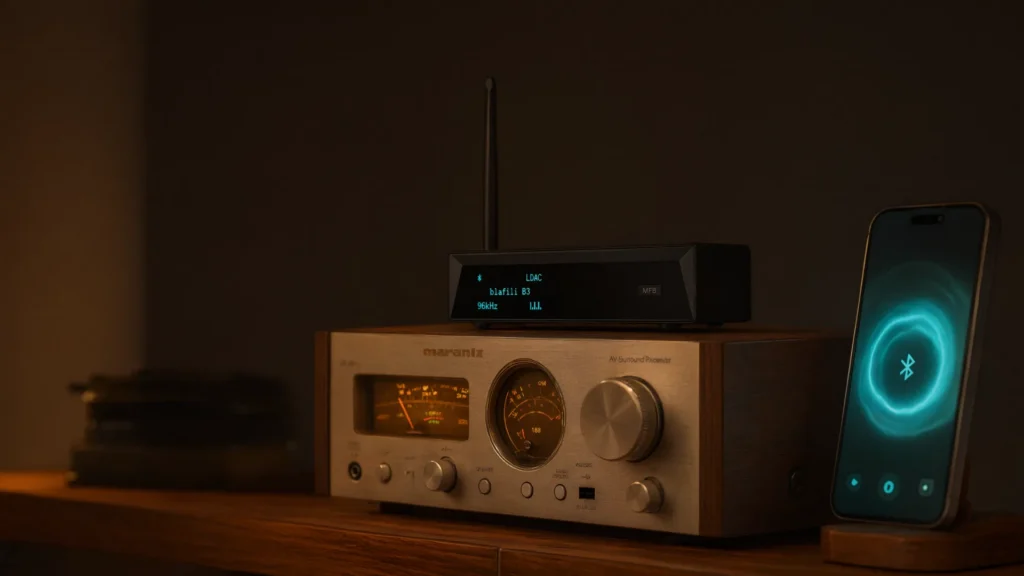
You can add Bluetooth to an old stereo in about ten minutes without opening the case. The method works on receivers from the 1960s to the 1990s and on most machines built since: a small Bluetooth receiver occupies a spare line-level input, your phone pairs with it, and the old stereo plays a streaming library exactly as it once played a cassette or a CD. Nothing inside the chassis changes, and everything unplugs.
Quick Answer
Yes, and the short version is three moves:
- Match an input. AUX, CD, Tape, or Line on the back panel; never phono.
- Wire the Bluetooth receiver. Its output into that input, red to red and white to white.
- Pair and play. Power the receiver, select the input, stream from the phone’s Bluetooth menu.
The six-step walkthrough below expands each move for an old stereo of any era. The input-safety table lists which jacks are off limits and why, a separate section handles machines with no AUX jack at all (phono-only, DIN-era, and digital-only), and the buying side of the question lives in our Bluetooth adapter for old stereo systems guide.
What You Need to Add Bluetooth to an Old Stereo
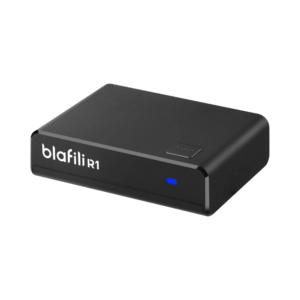
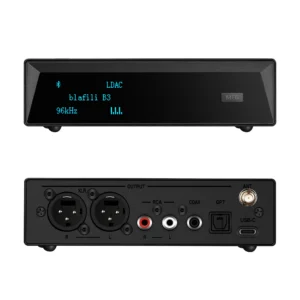
- A Bluetooth receiver whose output matches a free input. RCA input on the stereo: an RCA-output receiver; the compact blafili R1 at $21.99 covers most systems. Optical or coaxial input: the blafili B3 at $109. A bare 3.5 mm jack: any receiver plus a passive 3.5 mm-to-RCA cable.
- One cable. RCA-to-RCA, 3.5 mm-to-RCA, or optical, whatever bridges the receiver’s output to the input. Ordinary shielded cable does the job; keep long runs away from power cords.
- Power. A USB charger for the receiver’s USB-C lead, ideally on the same power strip as the stereo. That one choice prevents most hum before it starts.
- Your phone. No app is needed; pairing happens in the phone’s own Bluetooth menu.
If the back panel offers nothing but speaker terminals and a phono jack, stop before buying anything. The terminals are outputs, and the phono jack is off limits; the escape routes for those machines are covered in the phono-only section below. For the wider category, see the Bluetooth audio receiver guide.
Add Bluetooth in Six Steps
About ten minutes, no tools beyond the cable, and every step reverses with one plug, so nothing here commits the receiver to anything. One habit worth keeping: plug and unplug cables with the stereo switched off. Vintage input switches age better unloaded.
- Read the back panel. Find an unused input labeled AUX, Line, CD, Tape, or Video, and note the jack type: RCA pairs, 3.5 mm, optical, coaxial, or a round DIN socket. This one look decides everything you buy.
- Pick the matching Bluetooth receiver. RCA input: an RCA-output receiver. Optical or coaxial input: a digital-output model. No spare labeled input: a Tape or CD loop carries the same signal; select it when playing.
- Connect the cable with the power off. Receiver output into stereo input, red to red and white to white. For 3.5 mm, a passive adapter cable does the job with no sound penalty.
- Power and pair. Plug the receiver into USB power, put it in pairing mode (usually a long-press until the LED blinks), and select it in the phone’s Bluetooth menu.
- Select the input by hand. Older receivers never auto-detect a source. Turn the selector to the jack you wired, and if the panel has a Tape/Monitor button, press it; a wired, paired, silent system is almost always this switch one click away.
- Set the gain. Play something familiar, keep the phone’s volume fairly high for a strong clean signal, and ride the listening level on the stereo’s volume knob. If the sound distorts, step the phone back a notch before touching anything else.
Which Inputs Are Safe on a Vintage Receiver
The input labels are the safety chart. Most 1960s to 1990s receivers carry at least one safe jack:
| Input on the receiver | Verdict | Why |
|---|---|---|
| AUX / Line | Safe | Line level, designed for external sources like this |
| CD / Tape In / Video In | Safe | Same line level; select that input when playing |
| Tape monitor loop (In + Out) | Safe | Use the In side; press Tape/Monitor to route it |
| PHONO | Never | RIAA equalization plus high gain for a turntable’s millivolt signal; a line-level source clips it hard and can stress the stage |
| Mic in (rare on hi-fi) | Avoid | Microphone gain stage, wrong level and voicing |
| Speaker terminals | N/A | Outputs, not inputs; nothing external plugs into them |
The phono rule is absolute: it is the one jack a Bluetooth receiver can genuinely hurt rather than merely annoy. Phono expects a cartridge signal thousands of times smaller than line level and reshapes it with RIAA equalization; a line-level feed overdrives it into distortion. Do not adapt the receiver’s output into phono with an attenuator to make it fit; the level can be tamed, the equalization curve cannot. The deeper setup notes are in the RCA adapter walkthrough for vintage stereos.
No AUX Jack? Phono-Only, DIN, and Digital-Only Machines
A question we see often: an old stereo has no AUX label anywhere, only phono. The six-step plan above assumes one labeled line input; these machines need one detour first, and each era has its own.
Phono only: the one jack to refuse
If phono is the only RCA input on the chassis, do not use it; the table above explains the damage path. Work outward instead. Many receivers that skip AUX still carry a tape path, either RCA sockets marked Tape Rec and Tape Play or a single round DIN socket doing the same job. A tape circuit is a line-level input with a different label, and it is safe.
DIN sockets: the European case
European receivers and consoles of the 1960s and 70s often terminate the tape circuit in a round DIN connector instead of RCA. A passive DIN-to-RCA adapter cable bridges it to a normal Bluetooth receiver with no electronics in the path. One caution: DIN pinouts were never standardized across brands, so match the adapter to the machine’s tape-in wiring rather than assuming one map fits all.
Coaxial and optical only
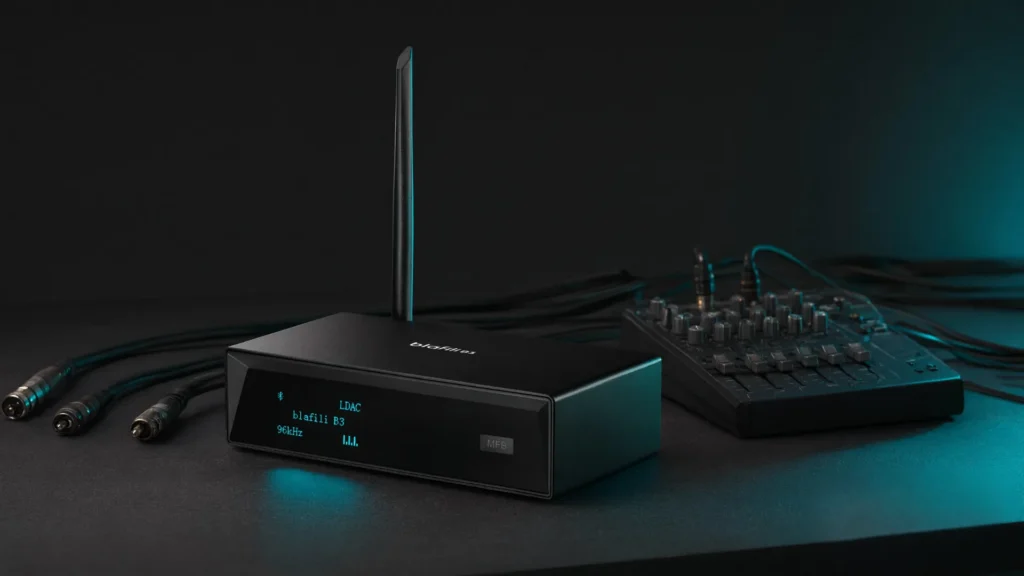
Mini systems and later receivers sometimes skip analog inputs entirely and offer digital ones. That is not a wall, it is a cleaner door: a Bluetooth receiver with coaxial or optical output, such as the blafili B3, hands the decoded stream to the machine’s own converter and keeps the signal digital end to end. The details are in our optical output receiver guide.
Consoles and radiograms: nothing at all
Console stereos and radiograms with no external inputs of any kind are the one genuine limit. There is no jack to occupy, and wiring into the internal amplifier means surgery on original circuits, which this guide does not recommend. The honest answers: a small modern amplifier driving the console’s speakers with the original electronics left stock, or leaving that machine original.
Stereo Receiver Types: Two-Channel, 5.1, and Mixers
“Stereo receiver” covers several shapes of machine, and the Bluetooth plan barely changes between them: every one of them hosts a receiver through a free line-level input. What differs is which inputs exist. The trade-offs are covered in our stereo receiver vs AV receiver comparison; the practical notes follow.
Two-channel receivers and integrated amplifiers
The classic old stereo: one box, two speakers, a tuner, a phono stage, and a row of line inputs. This is the easy case the six steps were written for. Two care notes. Match speaker impedance to what the amplifier specifies; most home speakers sit at 6 to 8 ohms, and the rating lives on the speaker label or beside the terminals. And give the chassis ventilation; heat, not use, is what usually ends an old receiver’s life, so keep the vents clear.
5.1 and AV receivers
Surround receivers built for movie nights carry more inputs than any other machine in the house, and every spare analog pair (CD, SAT, VCR, AUX) is line level and safe. Two differences matter. Optical and coaxial inputs invite the digital route, and if you cast video to the room, latency enters the picture; the codec table below covers the 40 ms class that keeps dialogue in sync. Second, a surround machine fed a stereo stream plays it through the front pair in stereo mode, which is correct for music; nothing to reconfigure.
Mixers and multi-zone setups
The same trick extends past home machines. A mixer’s line channel accepts a Bluetooth receiver like any other source, and a balanced XLR input wants a balanced feed: the blafili XLR at $40.99 outputs a 1.23V RMS XLR signal from a QCC3034 radio chip and is rated to 100 ft (30 m), which suits long cable runs behind a rack. In multi-zone houses, one receiver per zone is the working pattern, and renaming is what keeps it sane: every current blafili receiver can be renamed, so “Garage” and “Patio” appear as separate entries in the phone’s list. Only the B3 can also require a password before a phone connects, a feature shared workspaces use.
Fixing Ground Loop Hum
A low steady hum, the 50/60 Hz mains note and its first overtone, that appears only when the Bluetooth receiver and the old stereo draw power from different outlets is a ground loop: two paths to ground disagreeing through the signal cable’s shield. It is an electrical geometry problem, not a defect, which is why it can vanish when one plug moves.
Fixes in the order to try them: power both devices from the same strip; keep the RCA or 3.5 mm signal cables away from power bricks and cords; and if the hum survives both, an inline ground loop isolator on the signal cable removes it in most cases. One diagnostic shortcut: if a powered subwoofer or a cable TV box is also connected, unplug it and listen; whichever removal kills the hum has found the loop’s other leg. The full symptom-by-symptom list, including hiss and turn-on pops, is in the RCA adapter guide’s fixes section.
Codec and Latency Tips for Old Stereo Streaming
Music is forgiving: nothing on screen needs to match the sound, so latency stays out of the picture for a stereo. Codec choice is about fidelity. SBC streams acceptably for radio and background listening; aptX HD and LDAC carry noticeably more detail when the phone supports them and the receiver negotiates them. iPhones land on AAC, Android phones with the bandwidth use LDAC or aptX HD, and SBC is the fallback nobody has to configure.
| Codec | Typical source | End-to-end latency | What it means for the old stereo |
|---|---|---|---|
| SBC | any phone | about 200 to 300 ms | Fine for music; visible lag if you watch video |
| AAC | iPhone | in the 200 ms class | The default path from iPhones |
| aptX / aptX HD | many Android phones | in the 200 ms class | More detail carried across the room |
| LDAC | Android | in the 200 ms class | The most detail the band allows |
| aptX Low Latency | needs both ends | about 40 ms | Video stays in sync with the sound |
The pairing rules and bitrate detail are in our codec comparison. Two habits keep the link at its top mode. Place the receiver clear of the Wi-Fi router and metal racks; 2.4 GHz congestion is the usual cause of dropouts, and distance from the router matters more than distance from your phone. And when quality suddenly sounds flat, re-pair the devices: after interference the link can settle into a lower codec mode and will not climb back until it renegotiates.
One vintage-specific note. The Bluetooth receiver’s DAC now feeds an amplifier that may be fifty years old, and an old amplifier repeats everything it is given, hiss included. A named DAC chip and a solid signal-to-noise figure matter more here than on a modern system; the B3’s ESS ES9018K2M DAC with THD+N at -120 dB and +127 dB dynamic range is the specification trail worth seeking.
Buying Checklist: Choosing a Bluetooth Receiver for an Old Stereo
Four checks, in this order:
- Input match. RCA in: RCA out. 3.5 mm in: RCA out plus a passive cable. Optical or coaxial in: a digital-output model. Mixer or a long run: XLR out. The jack decides before the price does.
- Codec list against your phone. iPhone: AAC is the ceiling, so DAC quality matters more than codec badges. Android: LDAC or aptX HD support on both ends earns its keep on a good system.
- Power. USB-C at home, ideally fed from the stereo’s own power strip. No batteries to manage, no extra wall wart per device.
- Size and placement. Behind the cabinet is the usual home; a display-equipped model shows the track without pulling anything out, and a removable antenna helps when the rack is metal.
Two models cover most old stereo plans. The blafili R1 at $21.99 is the simple end: RCA out, USB-C power, compact enough to hide anywhere. The blafili B3 at $109, rated 4.89 across 186 reviews, is the full-featured end: LDAC through an ESS ES9018K2M DAC, XLR, RCA, optical, and coaxial outputs, a removable antenna, a display, renaming, and password support. From the old stereo’s point of view the two are identical: one more line-level source.
Repair the Speakers or Add Bluetooth First?
Sometimes the weak half of an old stereo is not the receiver but the speakers, and the two jobs are independent: streaming cannot fix a torn surround, and a fresh refoam does not remove the need for a Bluetooth receiver. The order question has a plain answer.
Add Bluetooth first if the speakers play clean. At normal listening volume, with music you know, listen for rubbing buzzes, crackle, or one side sitting quieter than the other. If none of those appear, the drivers are working and the ten-minute upgrade can proceed; renovation can wait.
Renovate first if the sound is broken. Foam surrounds crumble with age; press the cone edge gently, and crumbling foam means a refoam kit and an unhurried afternoon per pair. Cone tears, a scraping voice coil, and a driver that buzzes or falls silent are repair jobs, not streaming jobs. Crossover capacitors drift over decades and mute the top end; replacing them is cheap while the cabinet is open. A quick inspection list: pull the grille, look for tears, press the surround, wiggle the terminals, and if a multimeter is handy, read the driver impedance; expect roughly the label value rather than a short or an open.
On judgment: solid cabinets and well-built drivers justify refoaming; lightweight particle-board boxes rarely justify driver transplants. And if the speakers are the powered kind with their own inputs, they do not need the stereo at all, and the plan changes shape; see making wired speakers wireless for that path.
Keeping the Vintage Character
The best part of this upgrade is what it does not change. The Bluetooth receiver lives outside the chassis: no internal wiring, no drilled panels, no solder, no permanent marks. The faceplate, knobs, and original remote keep every job they ever had, and the machine simply believes a new source component is attached. To revert, unplug one cable and the system is stock again, which is why collectors prefer it to modified internals.
Two small habits keep the setup invisible. Tuck the receiver behind the cabinet with its cable dressed along the back, and leave both devices on the same power strip so switching the socket wakes the whole chain together. The turntable keeps its phono input and its ground wire exactly as they were; the receiver occupies a different jack, and the input selector chooses between them the way it always switched between a tape deck and the tuner. From the inside, the old stereo cannot tell a Bluetooth receiver from the CD player it once expected to meet.
Troubleshooting: Pairing, Dropouts, and Volume
- No sound, wired and paired. The input selector, nine times out of ten. Older machines never auto-detect; turn the knob to the jack you wired and press Tape/Monitor if the panel has one. Then check the pairing, then the cable, and only then suspect the vintage gear.
- Won’t pair, or grabs the wrong phone. Delete the receiver from the phone’s Bluetooth list and pair again from scratch; if the receiver has a memory-clear function, clear its side too. In a two-phone household, check which name shows as connected first.
- Dropouts across the room. The 2.4 GHz band is shared with Wi-Fi, microwaves, and USB 3 ports. Move the receiver away from the router and metal racks; distance from the router matters more than distance from the phone, and one wall plus a body can gut a link.
- Distortion at volume. Lower the phone a notch first, then raise the stereo; the reverse order amplifies the noise floor too. This is the gain-staging habit from step six, applied after the fact.
- Quality suddenly flat. Re-pair the devices so the link renegotiates its best codec; after interference it will not climb back on its own.
- Hum. Work the ground-loop list in its section above: same strip, cables away from power, isolator last.
Work any fault in chain order: phone, link, receiver, input, amplifier. The fault sits near the front of that list far more often than inside the old stereo itself.