

A DAC, short for digital-to-analog converter, is the circuit that turns digital audio into sound. Music files and Bluetooth streams are numbers; headphones and speakers run on a continuously varying voltage. Somewhere between those two representations the translation has to happen, and the DAC is where it happens. Every phone, laptop, TV, and car stereo contains one, and so does every Bluetooth receiver, which is why a plain answer to the question “what is a DAC” is worth having before any upgrade decision.
What Is a DAC?
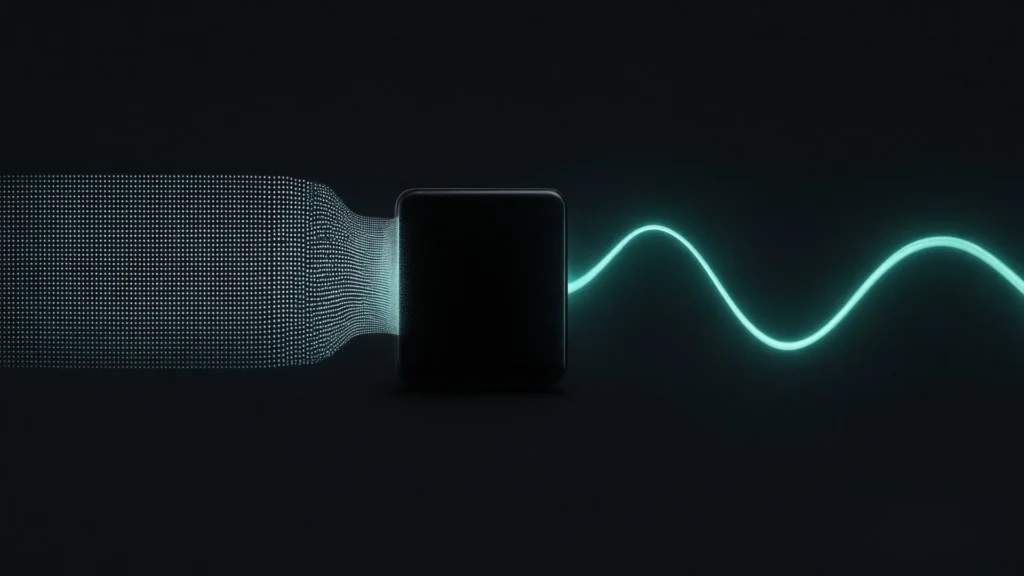
A DAC reads a stream of numbers and reconstructs an analog electrical signal from them: numbers in, voltage out, rebuilt tens of thousands of times per second. The definition is narrow on purpose. A DAC does not store music, does not amplify it, and does not add effects; it performs one translation and hands the result to the next component in the chain.
Because the DAC sits exactly where digital meets analog, its quality sets a ceiling for everything downstream. No amplifier or speaker can restore detail the conversion lost, and none can remove hiss the conversion added. That is the whole reason converter chips such as the ESS ES9018K2M get named on product pages at all: the converter decides how clean the signal is at the moment it stops being numbers.
You have already used several today without noticing. The earpiece that played a voicemail, the jack that drove your headphones, the soundbar under a TV, the radio on the morning drive: each contains a converter doing this one job in real time. Most are perfectly competent, and the occasions to think about them arrive only when something sounds wrong.
Why Digital Audio Needs One
Digital audio describes sound as measurements taken at a fixed rate, each stored as a number. Speakers are analog machines that move air only when fed a continuously varying voltage. Something must translate between the two, on the fly, without dropping a sample, and that translator is the entire job description of the DAC:
| Digital audio | Analog audio | |
|---|---|---|
| What it is | Numbers, samples measured at a fixed rate such as 44,100 per second | Voltage, a continuous wave mirroring the original pressure |
| What it is good at | Storage and transmission without degradation | Driving speakers and ears |
| Where it lives | Files, streams, Bluetooth data | Speaker cables, headphone drivers, air |
| The bridge | The DAC reads the numbers and rebuilds the wave, sample by sample, in real time | |
Two numbers describe the digital side. Sample rate is how often the wave is measured: 44,100 times per second for CD, up to 96 or 192 kHz for studio releases. Bit depth is how precisely each measurement is stored: 16-bit for CD, 24-bit in studio workflows. A digital-to-analog converter’s supported rates and depths tell you which files it can rebuild without resampling anything first.
Where DACs Live: the Devices You Already Own
A converter is not an exotic add-on; it is standard equipment in everything that plays sound. A short inventory of where DACs sit in the course of an ordinary day:
| Device | Where the converter sits | What it feeds |
|---|---|---|
| Phone | An audio chip beside the processor | The internal speaker, wired earphones, USB audio |
| Laptop or desktop | The sound card on the motherboard, or a USB device | Headphone jack, desktop speakers, line out |
| TV or streaming box | A small audio section on the main board | The set’s own speakers or an analog output |
| Car stereo | Inside the head unit | The factory amplifier and door speakers |
| Wireless earbuds | A miniature DAC after the radio, one per earbud | The drivers in each bud |
| Bluetooth speaker or receiver | Decoder plus DAC after the wireless link | Its own amplifier, or your stereo’s line input |
| USB dongle DAC | The device is nothing but the converter | Headphones plugged into it |
Built-in converters are designed to be cheap, small, and good enough, and for casual listening they usually are. Their limits show up as symptoms rather than spec sheets: hiss audible in quiet passages or between tracks, a presentation where instruments blur together instead of sitting apart, good headphones that never sound meaningfully better than the cheap pair they replaced. Any of those points at the converter, or at the electrically noisy environment it lives in, rather than at the music.
DAC vs Sound Card vs Amp
Three components get confused because they often share a chassis, though they hold three different jobs:
| Component | Job | Typical home |
|---|---|---|
| DAC | Converts digital audio to analog | A chip inside everything, or a dedicated box |
| Sound card | A computer’s complete audio package: ADC, DAC, outputs, drivers | On the motherboard, in a PCIe slot, or external on USB |
| Amplifier | Raises the analog signal’s power to drive speakers or headphones | A hi-fi box, or built into powered speakers |
What a sound card actually does
A sound card is an audio department, not a single part. Fit one internally or plug in its external USB form, and it takes on every audio task the computer has:
| Sound card function | What it handles |
|---|---|
| DAC (playback) | Digital to analog for everything you hear |
| ADC (recording) | Microphone and line inputs to digital |
| DSP effects | Equalization, surround simulation, voice chat cleanup, game audio profiles |
| Headphone amp | Drives headphones without a separate amplifier |
| Drivers and software | The mixer, device switching, latency handling in the operating system |
That breadth is the sound card’s strength and the root of the confusion around it. Gamers buy one for positional cues and chat processing, streamers for the microphone path, and neither feature has anything to do with conversion quality. The card’s DAC is one block among five, and in a desktop it often sits beside a graphics card and a power supply, the least quiet electrical neighborhood a converter can have.
USB sound card vs USB DAC: the confusion point
The confusion peaks with USB devices, because a USB sound card and a USB DAC look identical from the outside: both plug into a port and appear in the operating system as an audio device. The difference is scope. A USB sound card is the full package above, recording inputs included. A USB DAC does playback conversion and nothing else: no microphone path, no effects suite, and standard class drivers rather than vendor software, which is why it also tends to cause fewer driver conflicts, including on systems where vendor audio drivers cause trouble.
Which one you want follows from what you do. Recording, chat effects, and game audio profiles belong to the sound card. Cleaner listening, with conversion moved out of a computer’s interior, belongs to the DAC.
Driver layer vs conversion layer
The split also explains latency talk. A sound card’s driver and DSP shape the signal in software before it ever reaches the converter: effects are computed, voices are filtered, buffers are managed so game audio stays in step with the picture. The conversion itself, by comparison, contributes effectively nothing to delay. When sound arrives out of sync, the suspects are the link and the software chain, not the DAC. Wireless is the extreme case: the codec decides most of the delay, and aptX Low Latency holds a Bluetooth link near 40 ms while the converters at both ends add a vanishingly small slice of it.
The amplifier rounds out the trio by doing none of this. It never converts anything; it multiplies whatever analog signal arrives, signal and noise together. A strong amplifier fed by a noisy converter reproduces the noise faithfully, and a clean DAC into a weak amplifier still sounds weak. The two upgrades answer different complaints.
Do You Need a DAC?
Everyone owns several DACs already. The practical question is whether a deliberate, better one earns a place in a specific system:
| Situation | Verdict | Why |
|---|---|---|
| Casual listening on a phone or laptop | Built-in is enough | The internal converter is competent; convenience rules |
| Audible hiss from a computer output | External DAC helps | Moves conversion out of the noisy interior |
| Hi-fi system with analog-only inputs | External DAC helps | Adds clean digital inputs to analog gear |
| Adding Bluetooth to a stereo | Choose a receiver with a good DAC | The receiver’s converter becomes the system’s DAC for streaming |
| System with its own DAC or digital input | Use a digital-output receiver | Let the better converter in the rack do the work |
Symptoms point the way better than spec sheets do. Hiss audible at idle means a high noise floor at the converter or its output stage. A dull, crowded presentation, instruments stacked rather than placed, often traces to low-level detail being flattened in conversion. A system that plays quieter than it should may be starving for clean input level. Any one of these moves the answer from “built-in is fine” to “choose the converter deliberately”.
DAC Specs That Matter
Four numbers carry most of the information on a digital-to-analog converter spec sheet. Signal-to-noise ratio says how far the music sits above the converter’s own noise floor; hi-fi class sits around 120 dB. Dynamic range is the span between the quietest and loudest passage the converter resolves; the blafili B3’s +127 dB figure is reference territory. THD+N measures how much distortion and noise the conversion adds; -120 dB means nothing audible is added at any listening level. Supported sample rates and bit depths describe what the DAC accepts: 32-bit/384 kHz input headroom means 24-bit/96 kHz content, the top end of an LDAC stream, passes through without resampling, while CD material at 16-bit/44.1 kHz remains the baseline every converter must do well.
A reading habit pairs with the numbers: notice who publishes them. A spec sheet that names the converter chip, the THD+N, and the dynamic range is making checkable claims; a page offering only adjectives about sound is not. Silence about measurements is itself information, and it costs nothing to collect.
Where the DAC Lives in a Bluetooth Receiver
A Bluetooth receiver is, at heart, a DAC with a radio attached, and it is the most common way a deliberate converter enters a living-room system today. The signal path from phone to speaker runs through five stages:
| Stage | What it handles |
|---|---|
| 1. Phone (source) | The app reads the file or stream, and a codec such as SBC, aptX, or LDAC packs it |
| 2. Radio link | A 2.4 GHz connection carries the data across the room |
| 3. Receiver decoder | Unpacks the codec back into raw digital audio |
| 4. DAC | Converts numbers to analog voltage, the subject of this page |
| 5. Amplifier and speakers | Raise the power and move the air |
One consequence surprises people: during Bluetooth playback, the phone’s internal DAC never touches the signal. Conversion happens at the receiving end, so the converter inside the receiver you chose becomes your system’s DAC for everything streamed to it. How much detail survives the radio trip is decided earlier by the codec, a separate question with a comparison of its own in our Bluetooth audio codecs compared piece; which receiver shape fits which system is laid out in the Bluetooth audio receiver guide.
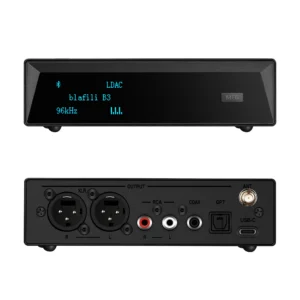
Output choice decides whose converter does the work. A receiver with RCA or XLR output converts internally; one with optical or coaxial output hands the still-digital signal to the DAC already inside your amplifier or AV processor. The blafili B3 at $109 does both: an ESS ES9018K2M converter with 32-bit/384 kHz input headroom, THD+N of -120 dB, and +127 dB dynamic range behind its XLR, RCA, optical, and coaxial outputs, rated 4.9 out of 5 across 186 reviews. Its USB-C port also accepts audio from a computer directly, in USB DAC mode at 16-bit/48 kHz, putting the same converter on desk duty between listening sessions.
This page stays on the concept side of the topic: what a DAC is, what a digital-to-analog converter actually does, and where it sits in the chain. When the question turns to buying, which converter class and which receiver for which system, the Bluetooth DAC guide takes over with the comparison tables and the pick logic.