
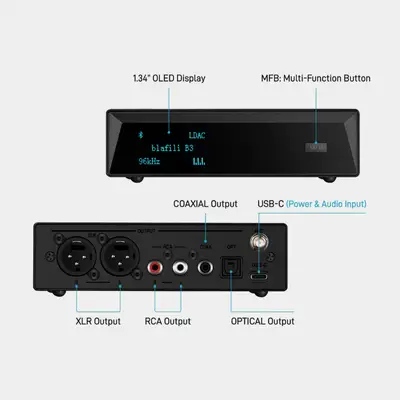
The blafili B3 is the commercial side of the blafili lineup: a Bluetooth audio receiver built for classrooms, boardrooms, hospitality spaces and studios that still run on wired speakers. A Qualcomm QCC5125 chip drives high-fidelity audio out of balanced XLR, RCA, COAXIAL and OPTICAL outputs — one small box lets any Bluetooth phone, tablet or laptop take over a professional sound system.
Where blafili B3 Makes a Difference
The B3 is built around a Qualcomm QCC5125 Bluetooth chip feeding an ESS ES9018K2M DAC — the same pairing trusted by desktop hi-fi. Our own PCB and interface module fold all of it into a palm-sized shield, so a full sound system hides behind any lectern, screen or counter.
Product Features
Wired systems limit mobility in classrooms, boardrooms and studios — and every one of these problems has a one-box answer in the B3:
| The problem | What the B3 does |
|---|---|
| Wired systems limit mobility; incompatible AV setups. | Any phone, tablet or laptop takes over the installed speakers — teachers and presenters move freely, and projectors and powered speakers just work. |
| Audio lag in large spaces; complex installations. | Bluetooth 5.1 with aptX LL low latency (<40 ms) and a 100 ft range — one box covers the room, and adding speakers stays simple. |
| Clunky device switching; OS conflicts. | One tap switches the link across phones, tablets and laptops — Windows, macOS, Android and iOS all supported. |
Built for Commercial Spaces
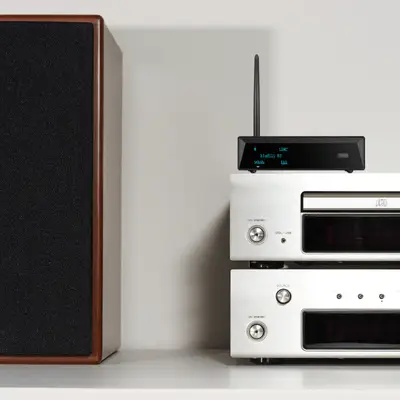
Classrooms & training rooms: teachers and presenters move freely while the lesson keeps playing through the installed speakers — no cables across the floor, no AV cart.
Boardrooms & offices: one-tap switching between laptops and phones ends the “which cable is this” meeting opener; audio stays in sync for calls and video.
Bars, cafés & restaurants: staff stream the house playlist from any phone at the counter and control it from up to 100ft away — the wired PA stays exactly as installed.
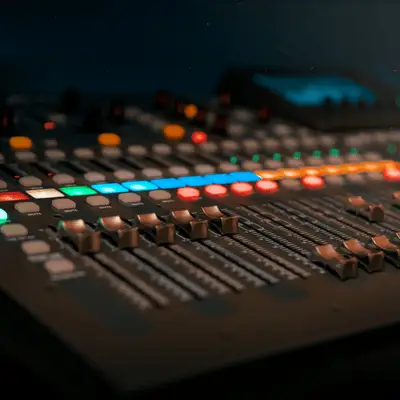
Studios & pro installations: the balanced XLR output feeds mixers and powered monitors cleanly, and aptX HD keeps reference material sounding the way it was mastered.
Application Scenario Examples
Why Choose blafili B3?
Universal Compatibility: Works with all legacy speaker systems through XLR, RCA, COAXIAL, and OPTICAL outputs. Studio-Grade Audio: Features aptX HD technology for pristine sound quality with music, speeches, and high-fidelity content. Instant Pairing: Effortless one-touch setup requiring no technical expertise.
Happy Customers
Trusted by 50,000+ happy customers across home and commercial installations.
Money-Back Guarantee
30-day returns, a 2-year warranty, and after-sales handled by engineers — not scripts.
Free Shipping
Free shipping on every order. Standard units ship from our New York or Australia warehouse; units pre-set with your custom Bluetooth name and passcode ship from our China facility.
Outfitting More Than One Room?
Tell us how many spaces you need to cover and what they plug into — talk to us about volume orders and we will spec the right number of B3 units for your site, from a two-room office to a full venue.
This page is the product-side view of the B3 in business. For a scenario-by-scenario, product-agnostic walkthrough — home Hi-Fi to pro audio — see Bluetooth audio for business or browse all blafili solutions.
Ready to Upgrade Your Audio Device?
Add the blafili B3 to your cart and rejuvenate your wired speakers today.