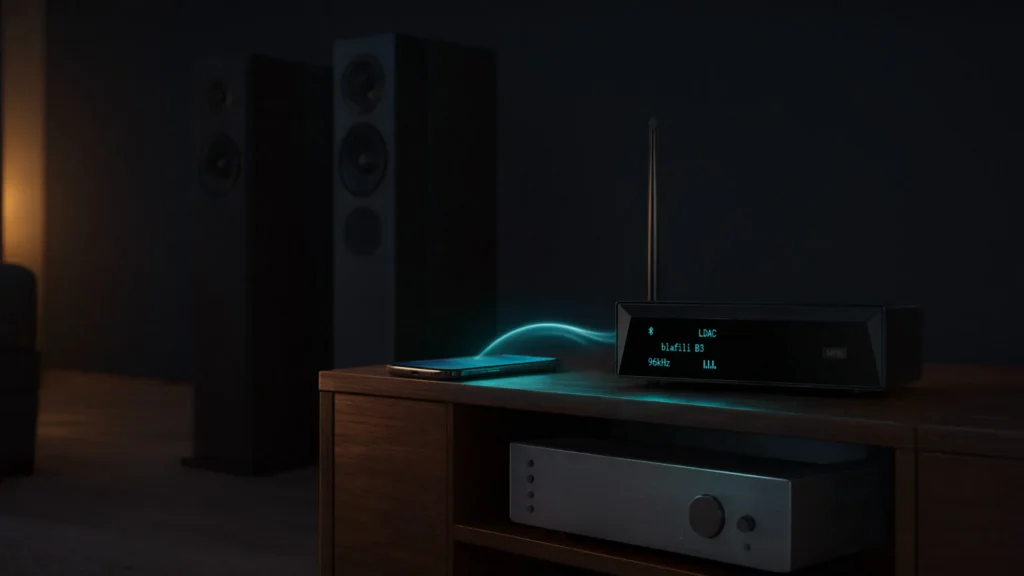


You can connect a Bluetooth device to an amplifier in a few minutes, whatever the amp’s age. If the amplifier already has Bluetooth, you pair it with your phone directly. If it does not, a small Bluetooth receiver plugged into a line input such as AUX (3.5 mm) or RCA adds wireless streaming to the amplifier you already own. Pair the two devices, select the matching input on the amp, set the volume on each device in the right order, and the system plays.
The rest of this page covers the method behind those steps: what an amplifier actually needs from a source, the three ways to add Bluetooth to one, how to match a Bluetooth receiver to the amplifier’s inputs, and the level and codec settings that keep the sound clean. It also covers the failure points we see most in support questions: phono inputs, volume staged in the wrong order, 2.4 GHz interference, and ground hum.
Amp, Receiver, or Separates: Where Bluetooth Fits in the Chain
The words get used loosely, so here they are precisely. An amplifier does one job: it raises a line-level signal to the power passive speakers need. An integrated amplifier packs the preamplifier stage (input switching, volume control) and the power stage into one chassis. A stereo receiver is an integrated amplifier plus a radio tuner. An AV receiver adds surround decoding, HDMI switching, and five or more amplifier channels for home theater.
Enthusiasts also split those stages into separates: a preamp feeding a dedicated power amplifier. The two halves connect through preamp outputs, and the same jacks let you add a power amplifier to a receiver later, a common upgrade on the big-box side.
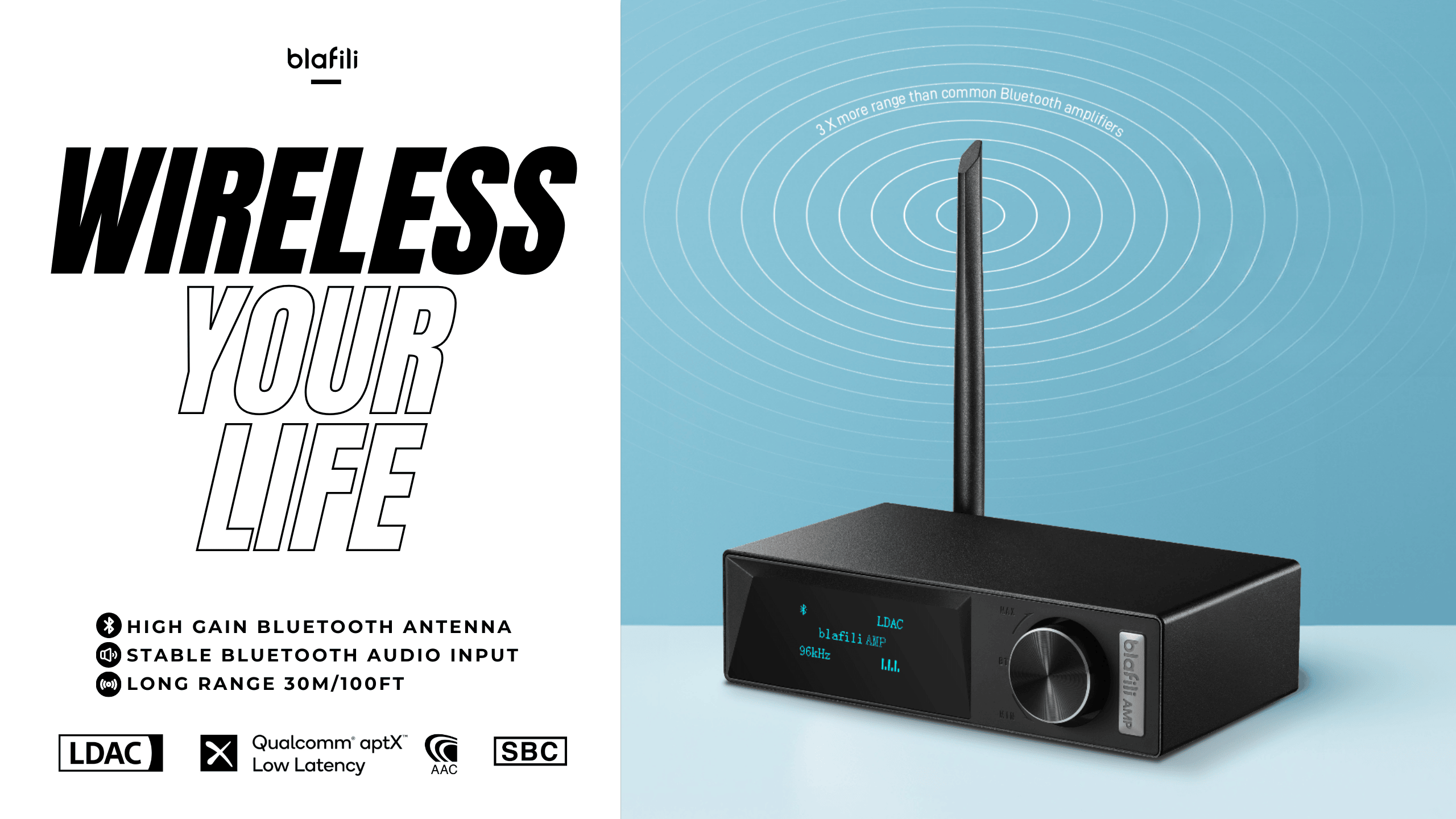
The word receiver has a second meaning on this page, and it is the smaller one. A Bluetooth receiver is a pocket-sized box that pairs with your phone, decodes the stream, converts it through an internal DAC, and outputs a line-level signal. It is a source component in the way a CD player is: it feeds the amplifier an input, and it never drives speakers itself.
| Box | What it does | How Bluetooth enters |
|---|---|---|
| Power amplifier | Raises line level to speaker-driving power | An outboard Bluetooth receiver feeds its input |
| Integrated amplifier | Preamp and power amp in one chassis | Built-in Bluetooth on newer models, or a receiver into any line input |
| Stereo receiver | Integrated amplifier plus a tuner | The same two options |
| AV receiver | Surround decoding, HDMI switching, multiple amp channels | Bluetooth common on board; a receiver into AUX or optical works too |
| Bluetooth receiver | Pairs with your phone, outputs line level | It is the Bluetooth half of the chain |
For a longer comparison of the two big boxes, see amplifier vs receiver: which one is right for you. For the small box in every shape it ships in, the Bluetooth audio receiver guide covers types, specs, and outputs. The chain built on this page is short: phone, Bluetooth receiver, a line input on the amplifier, your speakers.
Three Ways to Connect a Bluetooth Device to an Amplifier
There are three practical paths, and the choice hinges on the amplifier: keep the one you own, or buy new.
| Path | What you buy | Best for | Trade-off |
|---|---|---|---|
| Amplifier with Bluetooth built in | A new amplifier | New systems, one-box desks | Codec list fixed at the factory; the radio ages with the amp |
| External Bluetooth receiver | A receiver into a free line input | The amplifier you already own | One extra box, one extra power lead |
| Bluetooth amplifier board | A plate amp or bare board | Speaker builds and cabinet projects | Feature set frozen at the board; the wiring is on you |
Buying the Bluetooth inside the amplifier keeps the rack tidy: one box, one power cable, one remote. The cost is permanence. When a new codec or a better radio arrives, the module inside the chassis stays what it shipped with.
Adding a Bluetooth receiver keeps the amplifier and spends a little instead. You pick the receiver’s outputs and codecs to fit the system, you can move it to another amplifier later, and the radio’s upgrade cycle stops being tied to the amp. This is the path the rest of this page follows.
The third path is the Bluetooth amplifier board, the plate-amp module found inside powered speakers and subwoofers and sold bare for cabinet builds. It suits projects more than living rooms, and its feature list is fixed at the board. Adapter shapes beyond these three are compared in the guide to Bluetooth amp adapters.
Bluetooth is also not the only wireless route into an amplifier. Wi-Fi streaming amplifiers pull music from the home network themselves, hold sync across multiple rooms, and do not need the phone in range once playback starts. Bluetooth is the point-to-point option: it plays whatever the phone plays, pairs in seconds, and travels to any system with a receiver attached. For one amplifier in one room, Bluetooth with a receiver covers the job at the lower price; whole-house distribution is where the Wi-Fi gear earns its keep.
From the phone’s side, all three paths look identical: one Bluetooth device to pair with. The steps below therefore apply to whichever you choose.
Match the Bluetooth Receiver to Your Amplifier’s Inputs
The buying decision compresses to one sentence: find a free input on the amplifier’s back panel, then buy a Bluetooth receiver whose output matches it. The table lists the inputs that work, and the one that does not.
| Amplifier input | Typical gear | Cable from the receiver | Notes |
|---|---|---|---|
| RCA (Line, CD, Tape, AUX, Tuner) | Home integrated amps, stereo receivers, vintage gear | RCA pair, or 3.5 mm to RCA | Any input labeled line-level works; red to red, white to white |
| 3.5 mm AUX | Compact and mini amplifiers | 3.5 mm to 3.5 mm | Same line level as RCA in a smaller plug |
| Optical (Toslink) | AV receivers, DACs, newer amplifiers | Toslink fiber | Signal stays digital until the system’s own DAC |
| Coaxial (S/PDIF) | AV receivers, DACs | 75-ohm coaxial with RCA plug | Also digital; copper instead of fiber |
| XLR balanced | Pro power amps, studio monitors, PA racks | XLR cable | Balanced line rejects hum on long runs |
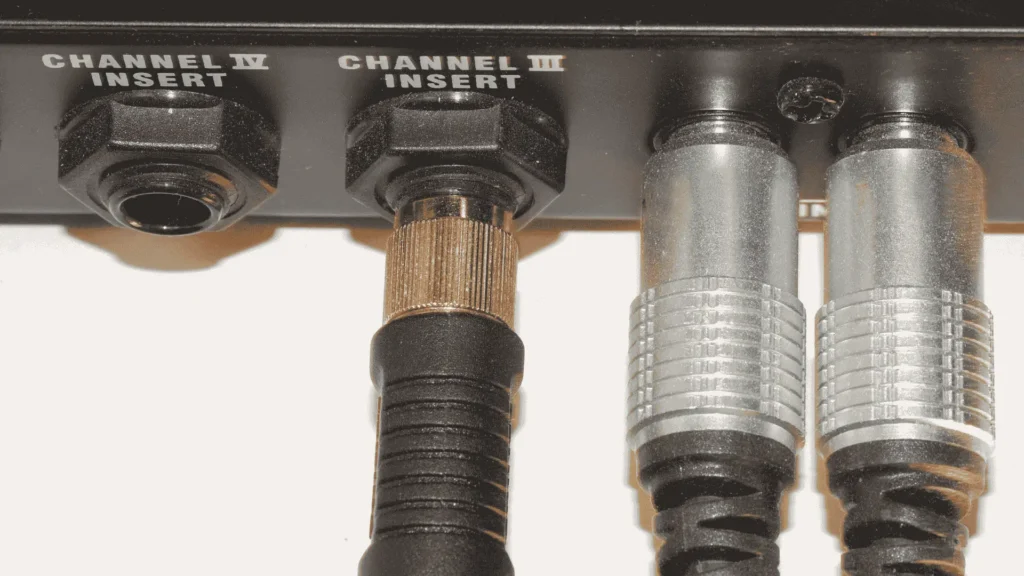
| 1/4″ TRS | Instrument amplifiers, mixers | TRS cable | Locks firm where a 3.5 mm adapter chain would strain the jack |
| Phono | Turntable inputs | None | Do not use; see below |
One warning earns its own paragraph: do not connect a Bluetooth receiver to a phono input. Phono applies RIAA equalization and very high gain meant for a turntable cartridge’s millivolt-level signal; a line-level source distorts immediately and hammers the input stage. Use any line-level input instead: AUX, CD, Tape, Tuner, Line, or Media Player. The same rule, with vintage-specific detail, is in how to add Bluetooth to an old stereo.
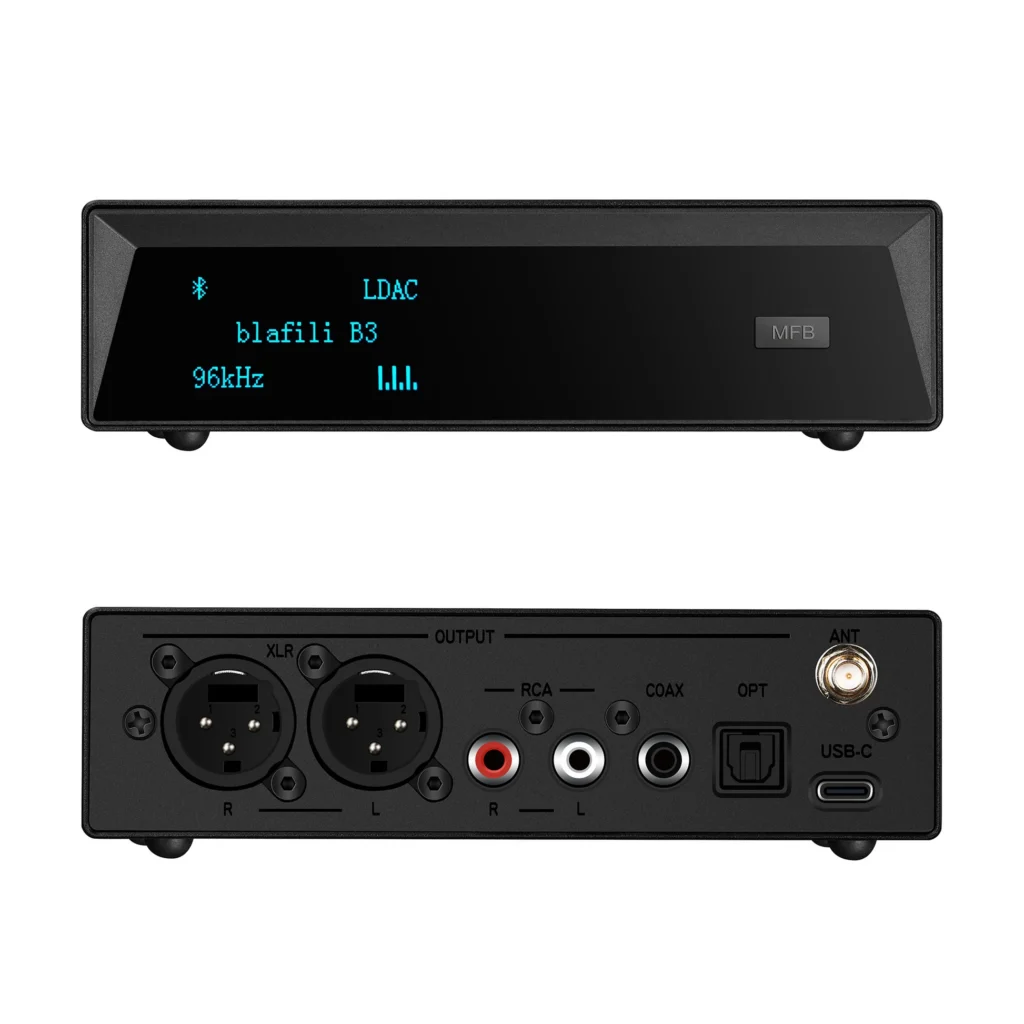
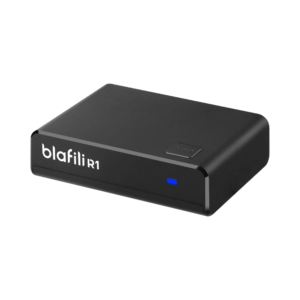
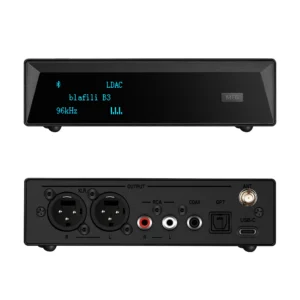
Receivers map onto those rows directly. The blafili R1 at $21.99 outputs RCA over USB-C power and covers most home amplifiers. The blafili B3 at $109 carries XLR, RCA, optical, and coaxial outputs, one receiver for every row above except TRS. The blafili XLR at $40.99 feeds balanced inputs at 1.23 V RMS with a rated range up to 100 ft (30 m), and the blafili 6dot35 at $44.99 terminates in a 1/4″ TRS plug with aptX HD and aptX Low Latency on board.
Step by Step: Connect the Bluetooth Device to the Amplifier
Before you pair
- Connect the receiver’s output to the chosen line input, with the amplifier off or its volume fully down.
- Power the receiver: USB-C from a wall adapter, or from the amplifier’s own USB port if it has one.
- On the phone, turn Bluetooth on and delete stale pairings to other audio devices; they slow the scan and clutter the list.
- Keep the phone within a meter or two for the first pairing.

Pair and select the input
- Put the Bluetooth receiver into pairing mode: hold its pairing button until the LED flashes. Most units re-enter pairing on their own after a stretch of idleness.
- Open the phone’s Bluetooth menu, wait for the receiver’s name to appear, and tap it.
- On the amplifier, select the input the receiver occupies: AUX, CD, Line, or whichever you wired.
- Play a familiar track at low phone volume and confirm both channels speak, then pause.
- Rename the receiver after the room or the amplifier, “Desk amp” or “Shop amp”. Every current blafili receiver supports renaming, and distinct names keep a multi-receiver household sorted.
After the first success, the pairing persists: the receiver reconnects to the last phone automatically when both come into range, and a short press of its Bluetooth button usually hands the link to the second remembered phone. If a different phone should take over, disconnect the current one from its Bluetooth menu first; most receivers hold one active connection and will not drop it on their own.
When the amplifier has Bluetooth built in, the order shifts slightly: press its Bluetooth button or choose the BT input so the amp becomes discoverable, then select it from the phone’s menu. From there, the level and codec sections below apply unchanged.
Set the Levels so Nothing Clips
Two volume controls sit in this chain: the phone’s and the amplifier’s. The order you set them decides whether the system plays clean or clips. Set the phone near 70 to 80 percent first, then bring the amplifier’s knob up to the listening level.
The reason is arithmetic. The phone’s DAC distorts when pushed to its maximum; the amplifier then raises whatever arrives, distortion and all, along with its own noise floor. If the sound hardens or crackles at any point, lower the phone first and raise the amplifier to compensate, not the reverse. Some amplifiers add a gain or trim control near the inputs; set it mid-position and treat it as the coarse stage, the phone as the fine one.
Codec, Latency, and EQ Settings
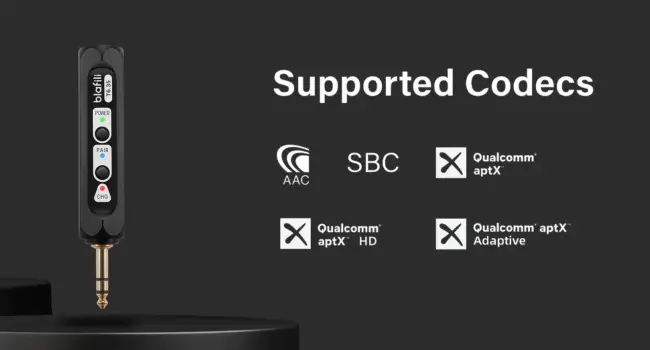
Codecs need both ends. A Bluetooth link settles on the best codec the phone and the receiver both support. iPhones bring AAC; many Android phones bring LDAC or aptX HD; SBC is the fallback every device speaks. A receiver with a longer codec list, such as the B3 with LDAC, aptX HD, aptX Low Latency, aptX, AAC, and SBC, keeps quality up as phones change, which is the practical case for buying codecs you cannot use yet.
Latency. Music tolerates delay; video does not. aptX Low Latency holds end-to-end delay near 40 ms, which reads as in sync on screen, while plain SBC runs roughly 200 to 300 ms, enough for visible lip drift. Both ends must support the codec: pair an aptX LL receiver with a phone that lacks it and the link falls back, lag and all. The mechanics are in what aptX Low Latency is.
EQ and tone. Start flat: bass and treble centered, loudness off, the phone app’s EQ off. Add tone only after the level staging above, because a hot phone level reads as harsh treble in a way EQ will not fix. If the amplifier has a direct or bypass mode, that is the cleanest path for critical listening.
Amplifiers with Bluetooth Built in: What You Gain, What You Trade
If a new amplifier is on the table anyway, the built-in Bluetooth route removes a box and a cable from the rack, and streaming-oriented models add app volume, input naming, and sometimes multi-room features. For a desk or a second room, one box with one power plug is a reasonable target in itself.
The trade is that the radio module is the shortest-lived part of any amplifier. A power section serves for decades; a Bluetooth 4.0 radio from the same year limits codecs and reach today, and nothing inside the chassis upgrades it. An outboard Bluetooth receiver on the same amplifier swaps to a newer radio for the price of the small box, and its antenna sits where the signal is rather than where the chassis sits.
Habits that keep any Bluetooth amplifier healthy: install firmware updates when the maker posts them, since codec and stability fixes often arrive there; keep the vents clear of dust, because heat shortens output stages; match speaker impedance to the amplifier’s rating before connecting, commonly 4 to 8 ohms; and run the stack from one surge-protected strip. If the phone doubles as the source, its own connection matters too: keep it on the stronger band in the house so the streaming app does not stall behind the radio link.
Two source habits finish the job. First, feed the link real bitrate: the gap between a low-bitrate stream and a paid tier, or local files, is easier to hear than the gap between codecs, so the streaming app’s quality setting is worth a look on day one. Second, let one device own the radio: background uploads and video calls on the phone compete for its transmitter, and they show up at the amplifier as dropouts that no receiver swap will fix.
Mini Amplifiers and Desktop Systems
Desk and small-room systems often pair a Class D mini amplifier, palm-sized and cool-running, with a pair of bookshelf speakers. Adding Bluetooth to that stack takes one of two routes: a mini amplifier with Bluetooth already inside, or a plain mini amplifier fed by a Bluetooth receiver over its RCA or 3.5 mm input.
The receiver route has one clear advantage on a desk: the radio upgrades independently of the amp. When an Android phone with LDAC replaces an older one, only the receiver side changes. A compact unit like the blafili R1 at $21.99, powered over USB-C, hides behind the amplifier and holds that whole half of the chain.
Power matching on a desk is simple. A mini amplifier in the 20 to 50 watts per channel class drives bookshelf speakers to comfortable levels at near-field distance, and the impedance rating printed beside the speaker terminals, usually 4 to 8 ohms, is the one spec to check against your speakers before wiring. Everything else about the connection, from input choice to level staging, works exactly as it does on a full-size amplifier. We keep notes on choosing small stereo amplifiers, including power and input checks, here.
Troubleshooting the Connection
It will not pair, or it pairs the wrong phone
Stale entries cause most of this. Delete the receiver from the phone’s Bluetooth list, clear the receiver’s pairing memory if it has the function, and pair again from a meter away. Receivers that remember two phones grab whichever they saw last, so in a two-phone house, check which device name shows as connected before blaming the amplifier.
Dropouts in one room
Bluetooth shares the 2.4 GHz band with Wi-Fi, microwaves, and USB 3 ports. Move the receiver a meter from the router, keep it out of cabinets with metal doors, and keep the phone out of a back pocket across the room; a body plus one wall can gut a link that works in open air. If the router side is busy, moving Wi-Fi traffic to the 5 GHz band frees the air the music uses.
Hum that follows the connection
A low hum is usually a ground loop, not a Bluetooth fault: two ground paths between the amplifier and something sharing its power, often a TV or a cable box. Put the whole stack on one power strip first; if the hum persists across a long cable run to pro gear, a balanced connection is the deeper fix, which is what the XLR output on receivers like the blafili XLR exists for.
A thump at power on
Power the sources and the Bluetooth receiver first and the amplifier last; at shutdown, power the amplifier off first. The thump is the amplifier amplifying a switch-on transient from upstream gear, and the ordering removes it.
Audio behind the picture
Lip sync trouble is codec trouble: confirm that phone and receiver both sit on aptX Low Latency, near 40 ms, as covered in the latency section above. If either end lacks it, the link falls to SBC at roughly 200 to 300 ms, and no setting on the amplifier recovers the sync.
Paired but silent
Run the short list: the amplifier’s input selector actually on the wired input, mute off, the cable seated at both ends, and the phone’s media volume up, which is separate from its ringer volume and easy to miss.
Checklist for Buying a Bluetooth Receiver for Your Amplifier
Run this list before checkout; it takes two minutes against the back panel:
- A free line-level input on the amplifier, and its type. Phono does not count.
- A receiver output that matches it: RCA, 3.5 mm, optical, coaxial, XLR, or 1/4″ TRS.
- Codec overlap with your phone: AAC for iPhone, LDAC or aptX HD for Android, SBC always as fallback.
- aptX Low Latency at both ends if video plays through the system.
- Power that fits the shelf: USB-C at home; a TV’s 5 V USB port works for compact units.
- Range to match the room: about 10 m (33 ft) typical, up to 30 m (100 ft) from long-range models.
- Renaming support, worth it the day a second receiver arrives; a connection password exists only on the blafili B3, for households that want guests kept off the system.
Three receivers cover most amplifier installations. The blafili R1 at $21.99, rated 4.84, is the RCA-and-USB-C simple end. The blafili XLR at $40.99, rated 4.87 across 67 reviews, feeds balanced pro inputs at 1.23 V RMS. The blafili B3 at $109, rated 4.89 across 186 reviews, brings the full codec list, an ESS ES9018K2M DAC, and XLR, RCA, optical, and coaxial outputs. For a feature-by-feature buying walkthrough aimed at amplifiers specifically, see Bluetooth receiver for amplifiers.
Connecting a Bluetooth device to an amplifier is a small, repeatable procedure: one cable to a line input, one pairing, two volume settings staged in the right order. Run the checklist before buying, keep the receiver clear of the router, and the amplifier you already own streams like any other source on the shelf.