

What a Bluetooth Transmitter Does
A Bluetooth transmitter adds Bluetooth sending to any device with an audio output: it takes the signal from a TV, mixer, amplifier, or CD player and re-broadcasts it to your Bluetooth headphones or speakers. The source never learns what happened: the transmitter sits between its output jack and the radio, converting wired audio into a 2.4 GHz Bluetooth stream that nearby wireless devices can receive.
That is the opposite job of a Bluetooth receiver, which pairs with your phone and feeds a wired input on an amp or powered speakers. If your gear has no Bluetooth and the music needs to leave it, you want a transmitter; if the music needs to arrive at it, you want a receiver.
Transmitter vs Receiver: Pick the Direction First
Mixing up the two directions is the most common buying mistake. Audio flows out of a transmitter and into a receiver:
| Direction | Where you plug it in | What pairs with it | Typical gear |
|---|---|---|---|
| Bluetooth transmitter | The audio output of a non-Bluetooth source (headphone jack, 6.35 mm out, XLR out, optical) | Your Bluetooth headphones or speakers | TVs, mixers, PA amps, CD players, desktops |
| Bluetooth receiver | The audio input of a wired system (AUX, RCA, XLR, optical) | Your phone, tablet, or laptop | Home stereos, vintage receivers, car amps |
Combo adapters with a TX/RX switch exist, and a two-way unit is fine for a desk setup. Dedicated units earn their keep at the pro end, where the plug matters: a mixer’s outputs are 6.35 mm TRS or XLR, not 3.5 mm, and a Bluetooth transmitter built for those jacks saves adapter chains that hum and fall out. If you are still weighing the two directions, the Bluetooth transmitter vs receiver comparison lays out the pros and cons, and the receiver side of the fence is covered in the RCA Bluetooth adapter guide.
Where a Transmitter Plugs In: Sources and Jacks
Match the Bluetooth transmitter’s input to the source’s output and the rest is plug-and-play:
| Source | Jack to use | What works well |
|---|---|---|
| TV | Optical out (cleanest digital) or 3.5 mm/headphone out | Private listening with aptX Low Latency to stay in sync |
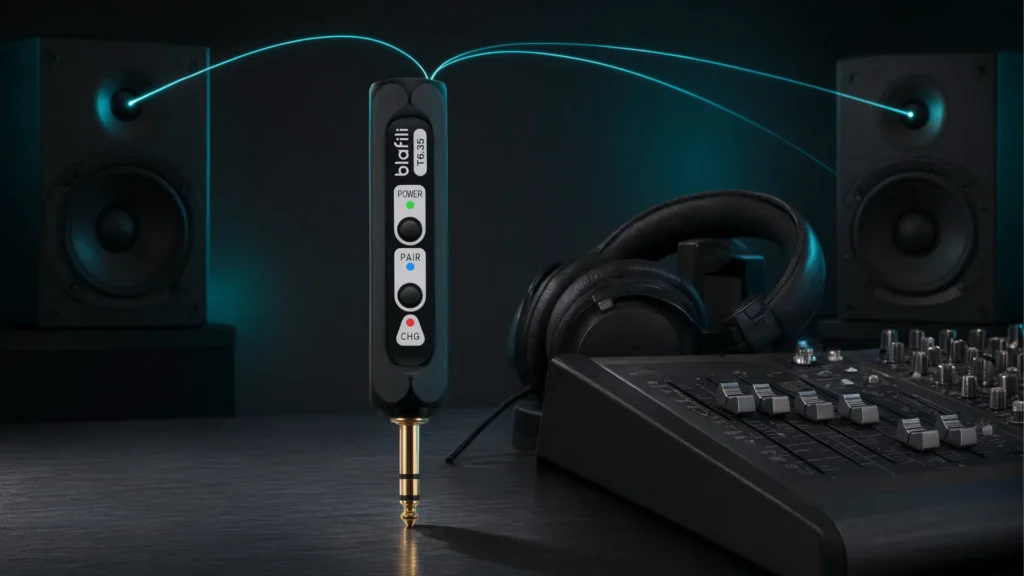
| Mixer, PA or karaoke amp | 1/4″ (6.35 mm) monitor or headphone out | A plug-style 6.35 mm transmitter; dual-link models feed two speakers at once |
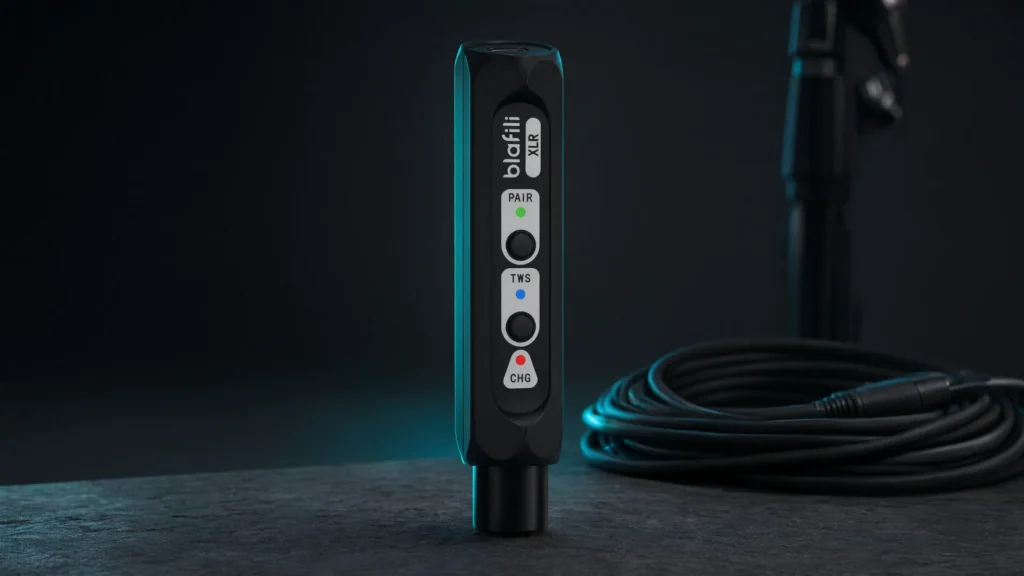
| Pro gear with balanced outs | XLR out | A transmitter with an XLR input taps the balanced feed directly |
| Stereo amp or receiver | Tape/line out or headphone jack | Send the hi-fi signal to speakers in another room |
| CD player | Headphone jack or RCA out | Play discs on wireless headphones or speakers |
| Computer | Headphone out or USB audio | Cut the desk cable to speakers or headphones |
Three Kinds of Transmitter Hardware
Plug-style sticks are the workhorses: a 3.5 mm plug (or a bundled RCA cable) straight into the source, powered by an internal battery. They travel between the TV, the laptop, and the gym machine without ceremony, and they are the cheapest way in.
Instrumented 6.35 mm units are Bluetooth transmitters that speak the amp and mixer dialect: a 1/4″ plug goes straight into a monitor or headphone output where a 3.5 mm stick would need a fragile adapter chain, and a dual-link radio in this class feeds two speakers at once.
Balanced pro transmitters accept what stage and studio gear puts out: a female XLR or USB-C digital input, aptX-family codecs, and a battery sized for an event day. At a mixer or PA rack, that input match is the difference between “might work” and “built for it”.
The Specs That Matter: Codecs, Latency, Range, Dual-Link, Battery
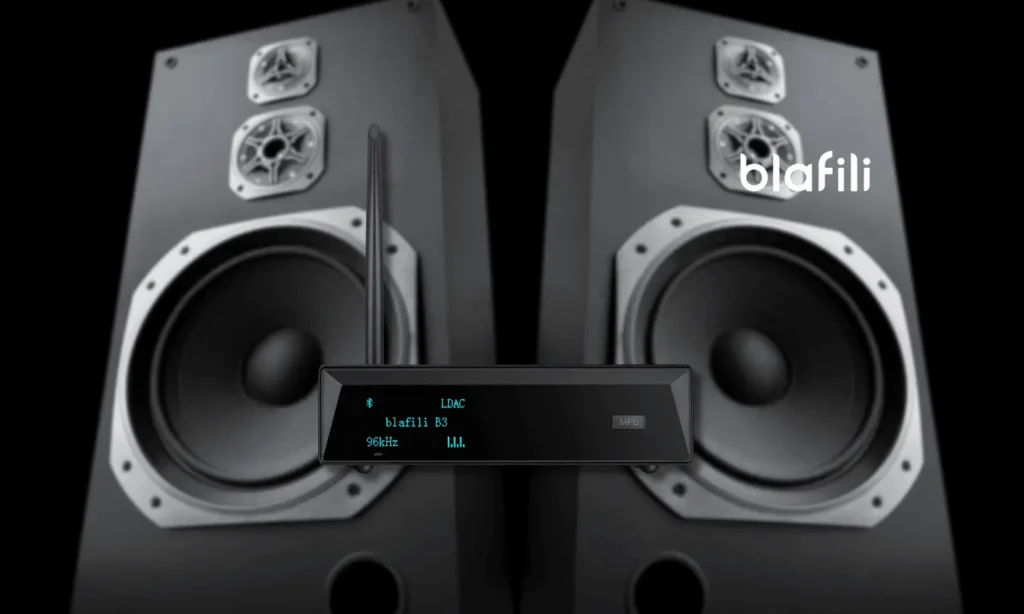
Codecs. Every Bluetooth audio link runs SBC at minimum; aptX, aptX HD, and LDAC preserve more detail when both the transmitter and the receiving headphones support them. A Bluetooth transmitter’s codec list is only half the deal: the negotiation always lands on the best codec the two ends share. The full numbers are in our Bluetooth audio codec comparison.
Latency. For music, delay is irrelevant; for TV and gaming it is the spec that decides usability. aptX Low Latency holds delay near 40 ms, below the threshold where most viewers read lip-sync as broken, while plain SBC can drift far enough to distract. If the screen is involved, put low latency first on the list.
Range. Ordinary Bluetooth audio is a roughly 10 m / 33 ft technology in real rooms; better radios and antennas reach 30 m / 100 ft in line of sight. Walls, metal, and busy 2.4 GHz air (Wi-Fi routers, microwaves) shrink every figure, so place the transmitter clear of the router.
Dual-link streaming. A dual-link Bluetooth transmitter maintains two simultaneous streams: two headphone pairs on one TV, or one mixer feed to two powered speakers across the room. It is the feature that turns one output jack into a small wireless distribution system.
Battery and power. Portable transmitters typically manage 10 to 16 hours per charge. Pass-through charging (use while plugged in) matters for permanent installs like a TV or a mixer rack.
Bluetooth Transmitter for Headphones: What Changes
Headphones are the most common destination, and they change the checklist in three ways. First, the codec negotiation runs in reverse: the headphones are now the receiving end, so a Bluetooth transmitter’s aptX HD badge means nothing to a pair of headphones that only does SBC and AAC, so check the headphones’ spec sheet first and match the transmitter to it.
Second, latency stops being academic. Music alone never exposes delay; a film does, the moment an actor’s lips move a beat after the words. For TV headphone duty, aptX Low Latency at both ends is the single spec that makes the setup livable, and a transmitter that also supports it for a second dual-link pair keeps two viewers in sync. A TV’s optical output is worth preferring when the jack is there: the fiber carries the cleanest digital feed and, being glass, picks up none of the electrical hum that copper runs near a TV can.
Third, comfort features take over: pairing memory (so the headphones reconnect when you power the TV setup back on), pass-through charging for a transmitter that lives behind the screen, and enough range to leave the room without the audio stuttering. Plan for the 10 m class and treat longer claims as line-of-sight best cases.
How to Connect a Bluetooth Transmitter in Five Steps
Setup of a Bluetooth transmitter is the same whatever the source: about five minutes, no app required.
- Charge the transmitter (or plug it into USB power for a permanent install).
- Connect it to the source’s audio output, matching the plugs you have: headphone jack, 6.35 mm out, XLR out, or optical.
- Put the transmitter in pairing mode (usually holding the power button until the LED blinks).
- Pair your headphones or speaker from their Bluetooth menu.
- Test and set levels: play audio, raise the source’s volume to a clean level, and fix the listening volume on the receiving end.
If the source has a volume dial on the jack you used (mixer aux outs often do), set it around three-quarters and leave the rest to the receiver: the same gain staging rule as any wired link.
Where Transmitters Earn Their Keep
TV and late-night headphone listening
The classic use: run an optical or 3.5 mm feed from the TV into a Bluetooth transmitter and your headphones become the sound system after bedtime. Choose aptX Low Latency on both ends to keep dialogue in sync, and a dual-link model if two viewers share.
Sending a mixer or PA output to wireless speakers
Amp and mixer outputs were born for speaker cable; a transmitter cuts the run. Plug a 6.35 mm Bluetooth transmitter into the monitor or headphone out and a dual-link model streams to two Bluetooth speakers at once, handy for courtyard gigs, karaoke nights, and overflow rooms where running cable is the harder project. Balanced XLR outputs take a transmitter with an XLR input instead, and the receiving end of a long wireless hop can be an XLR Bluetooth receiver feeding the powered speaker.
Hi-fi and CD players
A stereo’s tape or line output plus a Bluetooth transmitter puts your hi-fi on the balcony speakers; a portable CD player’s headphone jack does the same for your discs. The full walkthrough is in our CD Bluetooth adapter guide. If the goal is the reverse, streaming to the stereo from your phone, that job belongs to a receiver, not a transmitter.
Travel, gym, and desktop
A pocket Bluetooth transmitter turns airplane seat jacks, treadmill consoles, and headphone-jack-less desktops into Bluetooth sources. Same five steps, no drivers, and the battery covers a long-haul flight.
Karaoke nights and events
Karaoke machines and portable PA heads carry the same 6.35 mm outputs as a mixer, which is why a plug-style transmitter earns a permanent spot in the accessory bag: the mix stays on the machine while a dual-link unit feeds speakers across the yard, or two speakers at the far corners of a hall. Set the machine’s output around three-quarters, fix the speaker volumes once, and the whole evening runs without touching a level: the same gain-staging discipline as the PA case above.
How Many Devices Can One Transmitter Serve?
Two numbers hide behind “connections” in product listings. Pairing memory is how many devices the Bluetooth transmitter remembers; it reconnects to the last one automatically, which is why the TV setup just works each evening. Simultaneous streams is how many devices receive at the same time: basic units serve one, dual-link models serve two, and a few premium units stretch to three or four. For movie night with a partner or one source feeding two rooms, simultaneous streams is the number to check: memory alone will not put audio in two headphones at once.
Troubleshooting
Lip-sync drift. Both ends must support a low-latency codec; switching the transmitter alone rarely fixes video. If aptX LL is unavailable, some TVs offer an audio-delay setting that masks the gap.
Dropping connection. 2.4 GHz congestion is the usual cause: move the Bluetooth transmitter away from the Wi-Fi router, keep it in line of sight, and re-pair if the device list is full.
No sound. Work the chain in order: source volume up, correct jack (an input will not feed a transmitter), transmitter paired and selected on the receiving device, and the receiving device’s own volume raised.
Flat, lifeless quality. The pair has fallen back to SBC. Re-pair the transmitter with the headphones’ codec support confirmed, and keep the distance short enough that the link runs its top mode.
New devices will not find the transmitter. Most units hold a pairing list and connect to remembered devices first; put the transmitter back into pairing mode (long-press the power button) before adding a second or replacement receiver, and forget old entries from the source device if the list is full.
Transmitter + Receiver Pairs: Wireless Across the Room or the Yard
The two directions team up when the cable you cannot run sits between two pieces of gear: a transmitter on the source’s output and a Bluetooth receiver on the distant amp or powered speakers make a private point-to-point link. A transmitter and receiver pair behaves like a long audio cable with no trenching, useful for a projector screen across the living room, backyard speakers away from the indoor amp, or an overflow room at an event. On the far end, any Bluetooth audio receiver finishes the hop, from a compact RCA unit such as the blafili R1 at $21.99 to the blafili XLR at $40.99 for a powered PA speaker. The receiver-side details are in our Bluetooth audio receiver guide, and the full teardown of the trick is in turning wired stereo speakers wireless.
How the pair finds each other
To the transmitter, the receiver looks like any other Bluetooth audio device, so pairing the two ends of a transmitter and receiver pair is the same drill as pairing headphones:
- Power both units and set them near each other for the first pairing.
- Put the transmitter into pairing mode, then do the same on the receiver.
- Let them connect; the LEDs settle when the link is up.
- Set gain like any wired hop: source output around three-quarters, final volume at the far end.
- If both ends support renaming, label them (“Patio TX” and “Patio RX”) so the link is recognizable months later.
Where a transmitter and receiver pair beats a cable
The scenarios repeat because the geometry repeats. A Bluetooth speaker transmitter on a TV’s optical or headphone output, paired with a receiver on the patio amp, moves movie night outside without drilling a single hole. A mixer’s monitor feed, sent by transmitter and collected by a receiver at the powered speaker across the courtyard, replaces a cable run that would cross a doorway or trip zone. The same pair pattern links a vintage receiver in the den to the garage stack: the transmitter and receiver pair carries the signal across the house, and the wiring at each end stays local and short.
One source, several listeners
Transmitter and receiver pairs also handle listeners instead of speakers. A dual-link Bluetooth transmitter feeding two headphone pairs lets two people share one TV, each at their own headphone volume, and because both streams leave the same transmitter they track each other closely. That is TX-mode dual linking with the same two-stream limit described above; if you need three or more simultaneous listeners, plan on a second transmitter on a spare output rather than pushing one unit past its spec.
Keep expectations calibrated: this is still Bluetooth, so budget the same latency and codec rules as any link, fine for music and speech, with aptX Low Latency at both ends if a picture is involved.
Buying Checklist
How to choose a wireless audio transmitter comes down to four checks in order: the plug, the codec, the latency budget, and the power arrangement. Weight them by what the source is:
| If the source is… | Put first on the list | Why |
|---|---|---|
| TV or projector | Optical input, aptX Low Latency at both ends, dual-link for two viewers | Lip-sync is the make-or-break spec once a screen is involved |
| Mixer, PA, or karaoke machine | 6.35 mm or XLR input match, pass-through power | Adapter chains hum and fall out; racks run for hours |
| Computer or laptop | USB power, aptX HD or LDAC for music listening | The desk is a permanent install, so sound quality beats battery tricks |
| Wired speakers far away | A transmitter and receiver pair with matched codecs | Both ends negotiate one link, so a codec gap at the far end caps the whole hop |
- The right plug for your source: 3.5 mm for TVs and portables, 6.35 mm for mixers and amps, XLR for pro gear, optical for the cleanest TV feed.
- Codec match with the headphones or speakers you will pair (aptX/LDAC for quality, aptX LL for video).
- Dual-link if two listeners or two rooms are in the plan.
- Power that fits the job: battery for portable, pass-through USB for permanent installs.
- Range honestly rated for your room, not a lab: 10 m is the norm, 30 m needs line of sight.
Check those five against the spec sheet before comparing prices. The plug and the codec cannot be fixed after the transmitter arrives; range and battery shortfalls at least have workarounds.