

An LDAC receiver SPDIF chain puts two ordinary hi-fi technologies end to end: Sony’s LDAC codec carries music from your phone over Bluetooth at up to 990 kbps, and an S/PDIF output hands the decoded audio to your DAC or amplifier while it stays digital. Coaxial and optical versions of that output move the same data, so the cable choice comes down to your gear and your noise environment. This page explains what the interface is, why optical appeals, how the whole chain works, and how to wire one up.
What Does SPDIF Mean on a Bluetooth Receiver?
S/PDIF stands for Sony/Philips Digital Interface, a consumer digital-audio interconnect standardized as IEC 60958 type II. It carries two channels of PCM, with compressed surround formats covered by the related IEC 61937 rules, and it ships on two physical layers: coaxial cable with RCA or BNC plugs, and optical fiber with TOSLINK connectors (Wikipedia’s S/PDIF reference). The two cable types move identical bits, so choose between them for wiring convenience, not for sound character.
On a Bluetooth receiver, the SPDIF jack is an output. The receiver decodes the incoming LDAC stream into PCM, then sends that PCM out through the optical or coaxial socket toward your DAC or amplifier. An LDAC receiver SPDIF output therefore behaves like the digital output on a CD player or streamer: whatever arrives over the air leaves the box as a standard stereo digital signal. Any component with an S/PDIF input cooperates, whatever its age or brand. That compatibility is why the interface survived from the CD era into streaming gear of every kind.
Where Optical Output Earns Its Keep
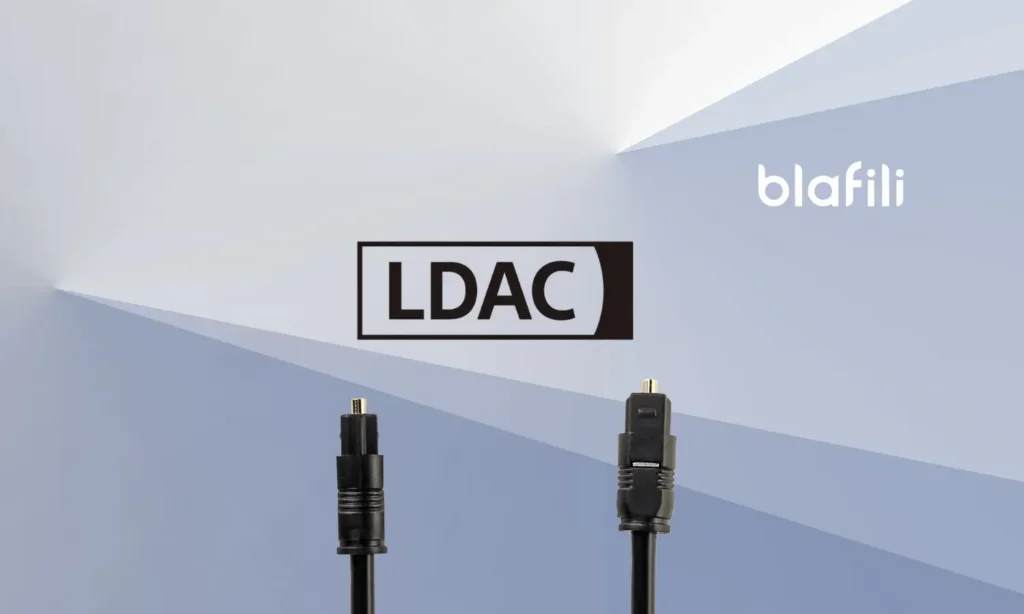
The optical layer of S/PDIF, built on the TOSLINK connector system, turns the digital stream into light inside a plastic fiber. Because no metal touches both ends, the link gains galvanic isolation: the two boxes share no electrical path, ground loops have nowhere to travel, and RF interference and ESD stay out of the audio chain (Wikipedia’s TOSLINK overview). In racks where a cable feed, a powered subwoofer or two amplifiers on different outlets stir up hum, that isolation settles real arguments.
The practical limits deserve the same attention. The LDAC Bluetooth receiver optics amount to one small TOSLINK port on the back panel, and plastic fiber stays effective over runs of roughly 5 to 10 m, plenty for a component shelf. The cable stops passing light when bent tightly, so route it with a gentle curve and some slack. Anyone shopping for an LDAC optical receiver for a single-room system stays well inside those numbers. For more on the connector side, our article on optical outputs on Bluetooth receivers covers ports, cables and common gotchas. Any amplifier or DAC with a spare optical input qualifies, too: the receiver turns that socket into a Bluetooth optical input fed by LDAC over the air.
How Does an LDAC Receiver SPDIF Chain Work?
Two links make up the chain, and each has its own job. Walk it from the phone forward.

The radio link handles the first half. LDAC is Sony’s Bluetooth audio coding technology, it runs on Android 8.0 and later phones, and it needs a receiver that decodes it; an iPhone pairs over AAC instead. The link steps between 330, 660 and 990 kbps as conditions allow, and the 990 kbps mode carries up to 24-bit/96 kHz (Sony’s LDAC pages). LDAC remains a lossy codec that spends bandwidth to preserve detail, so think of it as a quality-first design, not a lossless wire. Our companion piece on what the LDAC codec is walks through the encoding side in more depth.
Decoding handles the rest. Inside the receiver, the LDAC stream becomes plain PCM, and from that moment you have two honest paths. Path one: the receiver’s internal DAC converts the PCM to analog and sends it out over XLR or RCA jacks to your amplifier. Path two: the receiver passes the PCM out over optical or coaxial S/PDIF into your external DAC or a digital-input amplifier, which does the conversion instead, and the receiver’s own converter stays out of the circuit. Path two is how you keep a favorite DAC in service while adding wireless streaming around it.
Both paths carry the same decoded audio; they differ only in which box holds the digital-to-analog converter. That single choice explains the point of shopping for an LDAC receiver SPDIF output instead of a plain analog model. On receivers that carry both output families, the choice happens at the back panel instead of at the checkout page.
Setting One Up in Five Steps
Five steps take an LDAC receiver SPDIF hookup from box to music. Work them in order and the install stays short.
- Connect the optical or coaxial cable. Run a TOSLINK optical cable from the receiver’s optical output to an optical input on your DAC or amplifier, or an RCA coaxial cable between the coaxial jacks. Any cable sold as TOSLINK fits these sockets; pull the small protective caps off new plugs, seat each connector square to the port, and keep the fiber away from tight bends.
- Power the receiver. Plug it into USB power; the blafili B3 runs on USB-C at 5V/1A from a USB power adapter or a comparable port. A lit display confirms the box is alive before Bluetooth enters the picture.
- Pair your phone. Put the receiver into pairing mode and connect from the phone’s Bluetooth menu. Android 8.0 and later can send LDAC; an iPhone connects over AAC.
- Verify LDAC is active. On Android, open the details page for the paired receiver in Bluetooth settings; the connection information lists the codec in use, and the developer-options Bluetooth audio codec screen shows LDAC when the link runs it. For phones that expose playback-quality options, Sony’s help guide on playback-quality settings explains them in plain terms.
- Confirm the DAC locks the stream. Select the matching digital input on your DAC or amplifier and play a track. Most converters show a lock indicator or the incoming sample rate; a steady reading with music flowing means the chain is complete.
Digital Out or Analog Out: Which Fits Your System?
The comparison comes down to where conversion happens and what your cables pick up along the way. A digital output delegates conversion to the DAC of your choice and keeps that hop free of electrical noise. An analog output puts the receiver’s internal DAC to work and speaks the language every amplifier understands.
| Question | Digital S/PDIF output | Analog XLR/RCA output |
|---|---|---|
| How does it resist interference? | Optical fiber carries light, immune to ground loops, RF interference and ESD; coaxial keeps the signal digital until your DAC decodes it | Analog cables can carry hum from ground loops and pick up RF on longer runs |
| How far can the cable run? | Plastic optical fiber stays effective over about 5 to 10 m, routed with gentle bends | Standard interconnects cover typical shelf-to-shelf runs; extra length mainly adds exposure to noise |
| Which connectors are involved? | TOSLINK optical, plus RCA or BNC coaxial | XLR (balanced) and RCA (unbalanced) |
| When is it the right pick? | When your DAC or amplifier has a digital input, or when ground-loop hum plagues the system | When the amplifier has analog-only inputs, or when the receiver’s internal DAC already satisfies you |
Neither column wins outright. A receiver carrying both output families lets you audition each path and keep the one your rack and your ears agree on, and a digital path leaves room to upgrade the DAC later while the receiver keeps its job.
Check These Four Things Before You Buy
- Which digital output does it carry? Optical suits DACs with TOSLINK sockets and electrically noisy racks; coaxial suits gear with RCA digital jacks; having both keeps every door open.
- Which codecs does it negotiate? Bluetooth settles on one codec that both ends speak, so the receiver’s codec list decides what your phone can send; Android’s Bluetooth documentation describes the negotiation and lists LDAC among the platform codecs since version 8.0. A receiver decoding LDAC, aptX HD and AAC covers the phones your household actually owns.
- How does it get power? USB power near the amplifier shelf keeps the install tidy; note the plug format and current rating before buying extension or mounting parts.
- Do you need the external DAC path at all? With no digital input on your amplifier, the optical jack sits unused, and a strong internal DAC plus good analog outputs matters more. When a favorite DAC anchors the system, the digital output becomes the feature you are shopping for, and what an LDAC Bluetooth receiver adds to a hi-fi setup is worth a read first.
A Worked Example: The blafili B3
The blafili B3 Bluetooth audio receiver shows the whole brief in one chassis. It is the only blafili product with LDAC, decoded on a Qualcomm QCC5125 radio, so both chain paths exist here in hardware: the internal ESS ES9018K2M feeds balanced XLR and RCA outputs for the analog route, while the optical and coaxial outputs hand PCM to your own DAC when you choose the digital route. It sells for $109 and carries a 4.89 rating across 186 reviews.

| Spec | blafili B3 |
|---|---|
| Bluetooth codecs | LDAC, aptX HD, aptX LL, aptX, AAC, SBC |
| Audio outputs | Balanced XLR (male), RCA, optical (TOSLINK), coaxial (RCA) |
| DAC | ESS ES9018K2M, PCM support to 32-bit/384 kHz, THD+N -120 dB, DNR +127 dB; USB DAC mode at 16-bit/48 kHz |
| Power | USB-C at 5V/1A |
| Display and antenna | 1.34-inch OLED; removable antenna, range up to 100 ft (30 m) |
| Price and rating | $109, rated 4.89 across 186 reviews |
What Breaks and How to Fix It
No sound from the digital output. Check the input selector first; a DAC silently sitting on the wrong input explains most silent installs. Inspect the optical cable next, because a fiber bent at a sharp angle stops passing light, and confirm the plugs seat fully in their sockets. A sample-rate reading that differs from what you expected is not a fault by itself: the DAC locks to whatever PCM rate the receiver sends.
Dropouts during playback. When the radio link gets crowded, LDAC steps down from 990 kbps toward 660 or 330 kbps to hold the connection, and the adaptive mode trades top quality for stability. Shorten the distance between phone and receiver, move the phone away from the Wi-Fi router, and give the antenna clear air; the B3 reaches up to 100 ft (30 m) under favorable conditions. Re-pairing after you move the gear gives the two radios a fresh start.
Phone stuck on AAC. An iPhone uses AAC with these receivers; that is the phone’s codec set, not a fault. On Android, a missing LDAC decoder on either end drops the pair to a codec both ends share, such as aptX, AAC or SBC, so confirm the receiver decodes LDAC and the phone runs Android 8.0 or later.
Work the chain in order, phone to cable to input selector, and most faults show themselves at the step where they live. That is the quiet advantage of an LDAC receiver with optical output: two complete paths from phone to speaker, each one a clean place to test where the signal stops.