

An XLR Bluetooth receiver does one job: it takes the audio your phone sends over Bluetooth and hands it to pro audio gear through a balanced, three-pin XLR output. The mixer, powered PA speaker, or studio monitor on the other end treats it like any other line-level source, while the phone stays in your pocket as the player. No adapter chains, and no unbalanced cable stretched across a stage collecting hum. That makes an XLR Bluetooth receiver the cheapest legitimate upgrade path for pro racks that predate phone-as-source duty. This guide covers the wiring, the level plan, the DAC question buyers ask us most often, and how to choose between the two balanced receivers blafili builds. Gear that speaks RCA instead of XLR starts better with our Bluetooth audio receiver guide.
What Is an XLR Bluetooth Receiver?
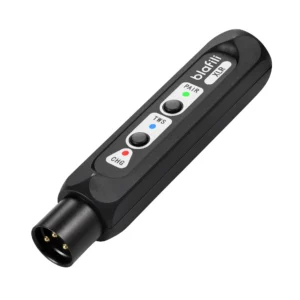
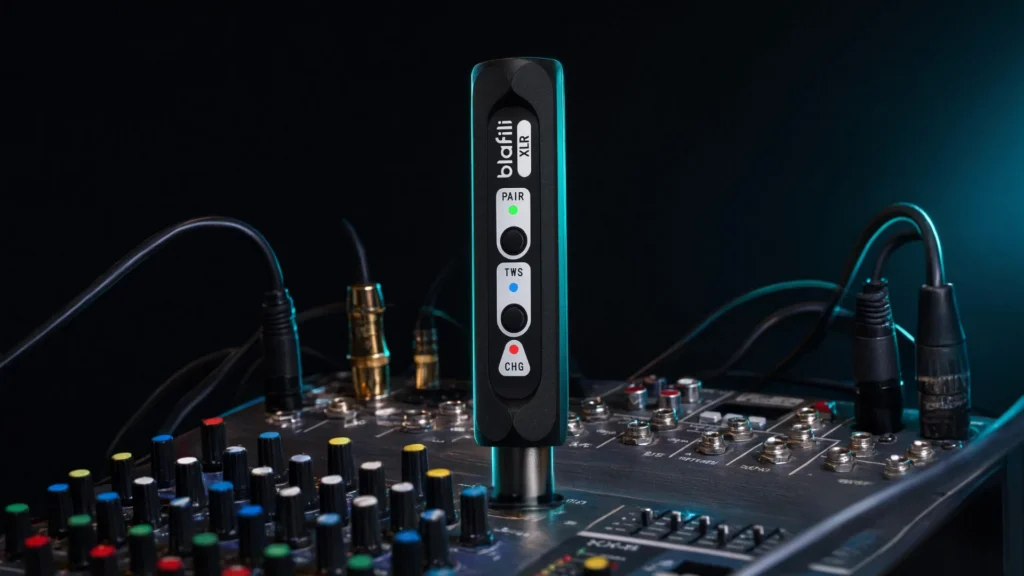
It is a small box, battery or USB powered, built from three parts: a Bluetooth radio, a DAC that converts the incoming digital stream to analog, and a balanced output stage driving an XLR male plug. Pair a phone, tablet, or laptop once, and the receiver sits in your rig like a wired source occupying one line input. The blafili XLR at $40.99, rated 4.9 out of 5 across 68 reviews, is the shape to picture: a 40 g stick with a Qualcomm QCC3034 radio, Bluetooth 5.1, and a single balanced output on the end.
Direction is the first thing to check, because XLR appears on both sides of the signal chain. An XLR Bluetooth receiver brings audio in, phone to mixer. A transmitter sends audio out, console or instrument to wireless headphones or a remote speaker, and the two get confused constantly. The outboard direction is covered in the wireless XLR transmitter and receiver guide; this page stays on the receiving end.
An XLR Bluetooth receiver is also not a wireless XLR microphone system. Those products pair a bodypack transmitter with a desk-side receiver on their own frequency-hopping protocol and carry a microphone’s signal. A Bluetooth receiver plays finished audio from a phone into the desk. Different job, different aisle of the store.
Why Balanced XLR Wiring Matters
An unbalanced cable, RCA or 3.5 mm, carries the signal on one conductor inside a shared shield; whatever noise the run picks up on the way arrives as part of the music. A balanced XLR line carries two copies of the signal on separate conductors, opposite in polarity. At the input, one copy is subtracted from the other: the signal survives, and noise that struck both conductors equally cancels. Engineers call the mechanism common-mode rejection, and it is why a 20 meter balanced run across a stage can stay silent while the same length of RCA hums.
Pro audio gear also runs hotter levels on those lines. Professional consoles and powered speakers work around a +4 dBu nominal line level, consumer hi-fi around -10 dBV, so a receiver built for balanced output drives pro input stages at the level they expect, with no gain make-up and a better noise margin. Add the locking connector and you have the reason mixers, PA racks, and studio monitors standardize on XLR, and an XLR Bluetooth receiver speaks that dialect natively.
XLR Cables and Connectors: the Basics
The standard audio connector is XLR-3: three pins in a circular metal shell with a spring latch. Pin 1 is shield and ground, pin 2 carries the hot (positive) half of the signal, pin 3 the cold (negative) half. The latch clicks into the socket and holds against a tug, which matters anywhere cables get kicked.
Pro audio assigns connector gender deliberately: outputs present male pins, inputs present female sockets. A microphone ends in a male plug, a mixer’s channel inputs are female, and the mixer’s main outputs are male again. An XLR Bluetooth receiver follows the same convention, male output plug into female line input, so it mates with consoles, powered speakers, and monitors using one standard cable and no adapter in between.
A 1/4″ TRS jack carries the identical balanced signal on tip, ring, and sleeve, and plenty of channels accept either plug. The difference is mechanical: XLR latches, TRS does not. The full comparison is in XLR vs TRS cables explained.
Cable length discipline still applies. Balanced lines tolerate long runs, but they do not license coiled heaps behind the rack: buy the length the room needs, keep runs away from power bricks where possible, and label both ends once a rig passes three cables. The receiver end takes one standard XLR cable, male to female, with no special wiring.
One naming trap is worth clearing here. The phrase wireless XLR returns two product families in a search: the XLR Bluetooth receiver family in this guide, which streams a phone into pro gear, and dedicated wireless XLR systems for microphones and instruments, transmitter on the player, receiver at the desk, running their own radio protocol. If the goal is carrying a mic or a guitar without a cable, that second family is the one to research.
Do You Need an XLR DAC?
Every XLR Bluetooth receiver already contains a DAC. Bluetooth delivers numbers, the XLR plug has to deliver voltage, and the circuit in between decides the noise floor and the detail ceiling of the whole link. So the question behind every “XLR DAC” search is not whether there is a converter in there, it is whether that converter is worth paying for.
The XLR DAC question splits cleanly by job. Background playback into a powered PA speaker, dinner music at a wedding, casual listening on studio monitors: any clean XLR Bluetooth receiver is quiet enough that the room sets the limit long before the converter does. Critical listening at a fixed position is different. Feed nearfield monitors from an Android phone streaming LDAC at up to 990 kbps and 96 kHz/24-bit, and the converter stage becomes audible territory, worth a named chip and measured numbers instead of an anonymous one.
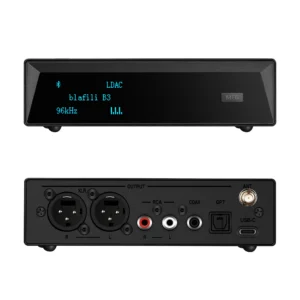
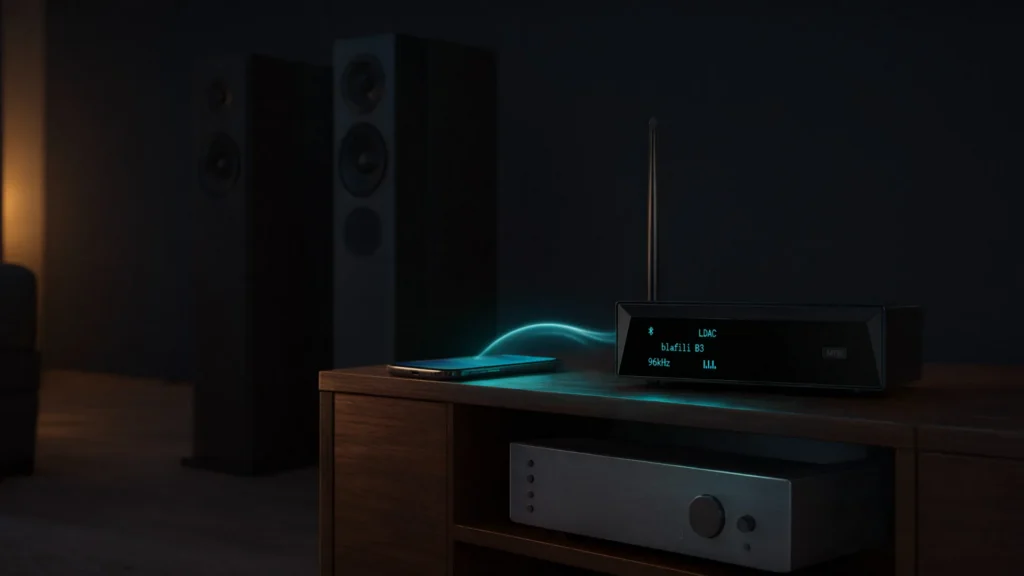
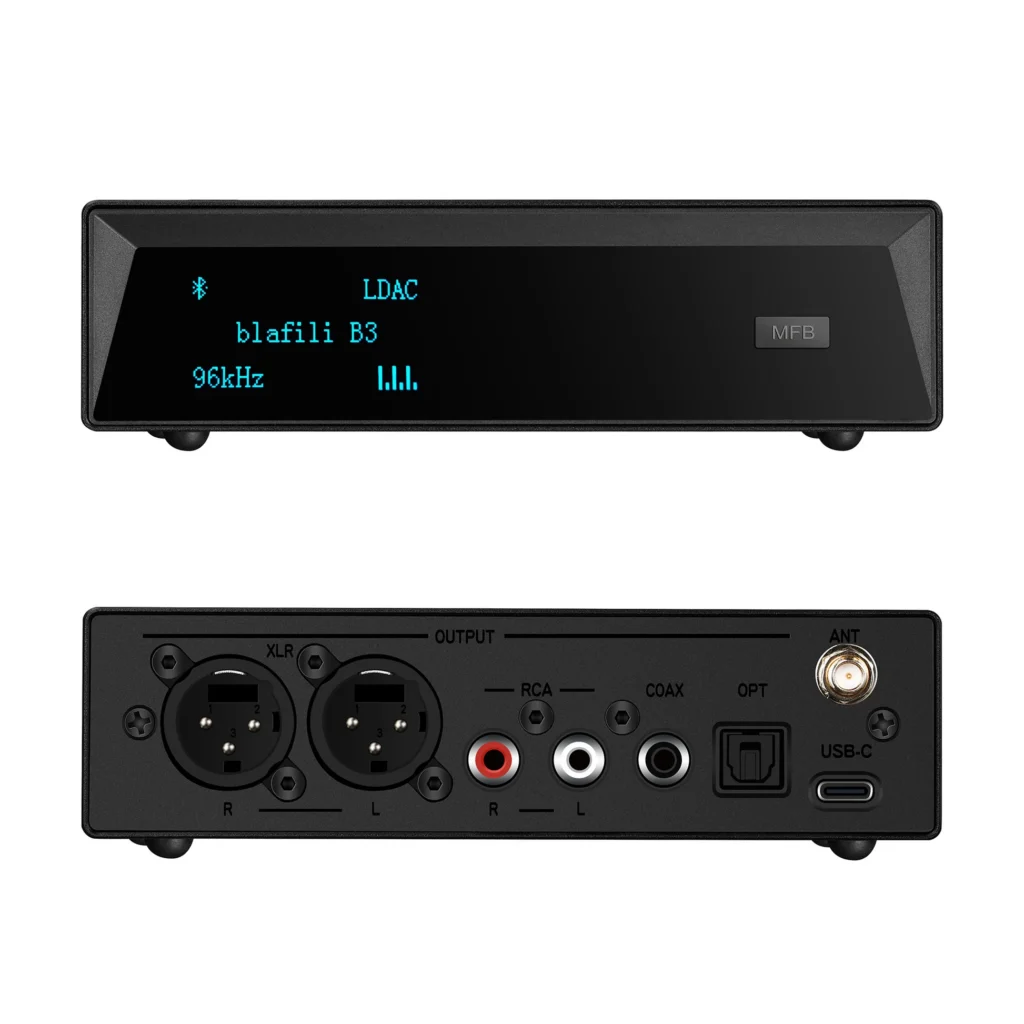
blafili builds one of each grade. The blafili XLR ($40.99) keeps a practical converter behind a Qualcomm QCC3034, tops out at aptX HD at 576 kbps, and doubles as a 16-bit/48 kHz USB DAC when a computer is the source. The blafili B3 ($109) is an XLR DAC first and a receiver second: an ESS ES9018K2M DAC handling up to 32-bit/384 kHz, THD+N of -120 dB, dynamic range of +127 dB, LDAC at up to 990 kbps, and balanced XLR sitting alongside RCA, optical, and coaxial outputs that all stay live at once. It carries a 4.9 out of 5 rating across 186 reviews.
The conversion stage itself, and how DAC chips differ across the whole receiver category, is covered in what a DAC actually does and in the Bluetooth DAC guide. This page keeps only the XLR DAC corner of that map, where the converter meets a pro input stage.
Where an XLR Bluetooth Receiver Fits
Balanced inputs show up on four kinds of gear, and the same receiver slots into each with a different emphasis:
| Destination | How it connects | What to watch |
|---|---|---|
| Mixing console | Male XLR plug into a female line-level input, not a mic preamp channel | Set channel gain with music running; line level at +4 dBu needs no make-up gain |
| Powered PA speaker | Straight into the XLR line input on the cabinet, no mixer required | Background and between-set playback; keep the performer path wired |
| Studio monitors | XLR input on the rear of each monitor, one receiver per side or a mono feed | Two units TWS-pair for true stereo |
| Amps and interfaces with balanced in | Any line-level XLR input on install amps and audio interfaces | Treat it as one more source, like a CD player or a laptop |
On a console, the wiring is the easy half; the level plan makes it sound right. Give the XLR Bluetooth receiver a line input, or a channel with its line switch or pad engaged, start with the channel gain low, and bring the phone’s volume up before the fader, because the receiver behaves like a line source rather than a microphone that needs preamp gain. The full live set workflow, channel choice, gain staging at the desk, set-break handoffs, is laid out in our Bluetooth receiver for audio mixer guide.
In a studio, the receiver earns its keep at the edges of the workflow: reference playback for a client in the chair, checking a rough mix from the same phone most listeners will use, feeding monitors while the interface is busy elsewhere. It does not replace the interface for tracking; it removes the cable from listening jobs that never needed one.
PA duty is where the battery and the weight numbers matter. Intermission music, backing tracks from a phone, ceremony playback: a 40 g stick on the speaker’s spare XLR input covers all of it, and the balanced run from a front-of-house table to a stage riser stays quiet through lighting-dimmer territory because the line is differential end to end.
Latency: What Bluetooth Delay Means Live
Every Bluetooth link adds delay. The codec buffers, the radio retransmits, the receiver rebuilds the stream: with aptX Low Latency negotiated at both ends the link holds near 40 ms, while a plain SBC link runs roughly 200 to 300 ms. For music played into a room, neither figure is audible. Two situations are different: video, where lip sync breaks down somewhere past 100 ms, and any path a performer monitors through, where even 40 ms reads as a short echo against an acoustic instrument.
| Codec | Top bitrate | Typical latency |
|---|---|---|
| aptX Low Latency | 352 kbps | near 40 ms |
| aptX HD | 576 kbps | roughly 200 ms |
| AAC | 320 kbps | roughly 150 to 250 ms |
| SBC | 328 kbps | roughly 200 to 300 ms |
The working rule we give buyers: a wireless XLR link carries what the audience hears casually, and wire or dedicated stage systems carry what performers hear themselves. Pre-show playback, between-set music, a video’s audio in a small room: all safe. In-ear monitor splits and timing-critical monitoring: keep those wired. How the low-latency codec pulls the number down is explained in what aptX Low Latency actually does.
Power, Battery, and Portability
Battery life is what makes an XLR Bluetooth receiver practical as a stage tool. The blafili XLR carries a 320 mAh lithium cell rated for up to 16 hours of playback, recharges in about 2 hours over USB-C, and keeps playing while it charges, so a fixed install can leave it on USB power for good and a gig rig just runs it across a weekend. The whole unit is 117 x 30 x 25 mm and 40 g. Bluetooth 5.1 with a rated range up to 100 ft (30 m) in open air covers stage-to-phone distances with margin; walls, bodies, and a crowded 2.4 GHz band eat into it, so keep line of sight where the room allows.
Stereo works two ways. One receiver summed to mono suits background playback. For true stereo, two blafili XLR units TWS-pair to each other first, the phone then joins the pair, and the two units feed left and right monitors with no splitter cable; a two-unit XLR Bluetooth receiver rig also draws both halves of the stereo image from one phone, so there is no second source to manage. Rename each unit while you are at it; every blafili receiver supports renaming, and “PA-L” and “PA-R” in the phone’s Bluetooth menu beat two identical names on a dark stage.
The same box covers laptop duty. Over USB-C it shows up as a 16-bit/48 kHz audio device, so the phone contributes music over the air while the laptop runs meeting or presentation sound down the wire, and both reach the desk through one balanced line.
Buying Checklist: a Pro Audio Shopping List
A short checklist settles most XLR Bluetooth receiver purchases, and the XLR DAC decision folds into it at the end:
- True balanced output. The output stage of an XLR Bluetooth receiver must drive pins 2 and 3 differentially. A listing that does not say balanced probably is not, whatever the plug looks like.
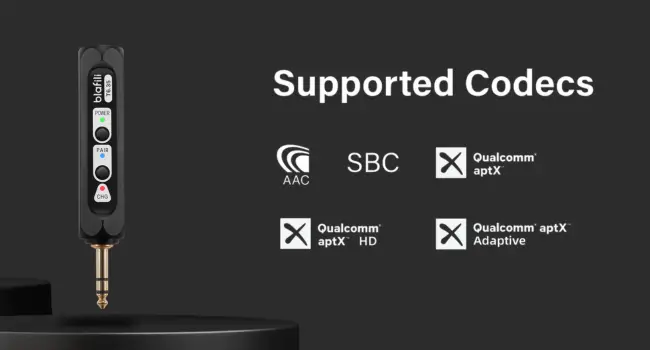
- Codecs your phone can send. aptX HD (576 kbps) for detail, aptX Low Latency for video sync, and LDAC (up to 990 kbps at 96 kHz/24-bit) for Android phones that support it; iPhones settle on AAC regardless of the badge.
- Line-level output built for +4 dBu. Pro input stages expect pro level; a receiver tuned only for consumer level runs out of headroom on long runs.
- Battery or pass-through power. A full gig on one charge (16 hours on the blafili XLR), or USB power while playing for fixed installs.
- Range with margin. A wireless XLR rig rated 100 ft (30 m) line of sight absorbs one wall and a stage; smaller ratings leave nothing for the room.
- Details you touch daily. Locking connector, solid shell, and renaming support so a multi-receiver rig stays legible.
The two balanced receivers side by side:
| Spec | blafili XLR | blafili B3 |
|---|---|---|
| Price | $40.99 | $109 |
| Radio | Qualcomm QCC3034, Bluetooth 5.1 | Qualcomm QCC5125, Bluetooth 5.1 |
| Codecs | aptX HD, aptX LL, aptX, AAC, SBC | LDAC, aptX HD, aptX LL, aptX, AAC, SBC |
| Converter | Built-in DAC; USB DAC mode at 16-bit/48 kHz | ESS ES9018K2M, up to 32-bit/384 kHz, THD+N -120 dB, DNR +127 dB |
| Outputs | Balanced XLR male | XLR, RCA, optical, coaxial, all live at once |
| Power | 320 mAh battery, up to 16 h, about 2 h charge, plays while charging | USB powered |
| Range | Up to 100 ft (30 m) | Up to 100 ft (30 m), removable antenna |
| Body | 117 x 30 x 25 mm, 40 g | Desktop unit |
| Rating | 4.9 out of 5, 68 reviews | 4.9 out of 5, 186 reviews |
Match the spend to the seat. The blafili XLR at $40.99 is the working pick for mixer, PA, and monitor duty: aptX HD, aptX Low Latency, the 16 hour battery, 40 g. The blafili B3 at $109 is the station pick, an XLR DAC with the ES9018K2M converter, LDAC, and RCA, optical, and coaxial outputs alongside XLR for a desk that feeds more than one system. Short-run home stereo on RCA belongs to smaller receivers in the Bluetooth receiver category instead.
A few spec-sheet habits help whatever brand is on the box. Check the codec list on an XLR Bluetooth receiver against the phone you actually own, since the link settles on the best codec both ends share and a badge the phone cannot send buys nothing. Treat range ratings as line-of-sight numbers and mentally subtract a wall or two. Weigh battery claims against pass-through power: a receiver that runs while charging never has to be charged on a schedule.
Troubleshooting and Common Mistakes
Phantom power and the receiver
+48 V phantom power flows from a mixer’s mic inputs to condenser microphones, never the other way. An XLR Bluetooth receiver is a playback source: it needs no phantom power and should never receive it. Use line inputs, or a mic channel with phantom defeated, and the question is closed.
Distortion: the mic input trap
Feed a line-level receiver into a mic preamp and the channel clips long before the room is loud. This is the engine of most “sounds distorted no matter what” complaints we see in support. Use a line input or pad the channel, then set gain with music running.
Hum and ground loops
Hum arrives through power and unbalanced links, not through the radio. Put the rack on one power strip, keep audio lines away from wall adapters and lighting dimmers, and use the balanced output for anything long. A ground loop that survives all of that lives on an unbalanced leg somewhere; an isolator there ends it.
Dropouts and one-sided stereo
Dropouts on a wireless XLR rig trace to distance, walls, and 2.4 GHz congestion (routers, microwaves, USB 3 ports) roughly in that order; move the phone or the receiver before blaming the unit. If one side of a two-unit stereo set plays everything, check the TWS pairing and the channel pan before the mixer.
Both of these XLR Bluetooth receivers land on the same fundamentals: a differential XLR output, aptX HD and aptX Low Latency, and the 20 Hz to 20 kHz band the rest of the pro audio rack shares. Take the XLR stick where the work moves, take the B3 where the XLR DAC, LDAC, and the extra outputs get used every day, and rename whichever arrives so the rig stays readable a year from now.